
Notion HTML Blocks: The Complete Step-by-Step Guide (And 15 Tools I Built in Under 2 Hours)
Notion HTML blocks turn static docs into interactive apps. Here's what they are, who they're for, how to activate them, and 15 awesome HTML blocks I built in under 2 hours.

Notion 3.6 shipped interactive HTML blocks, and they quietly turn your workspace into a no-code app builder.
Here's a full breakdown of what they are, who they help, how to switch one on, and the 15 tools I built in a single afternoon.
Access your FREE Solopreneur Success Hub - your subscribers-only comprehensive command center for building and scaling a successful one-person business.
I created this all-in-one toolkit for building a profitable one-person business, something I wish existed when I first started, and it saves me 20+ hours a week.
Now, it’s yours… FREE!
I’ve wanted this feature for the longest time. On July 1, 2026, Notion shipped version 3.6, and inside a release stuffed with External Agents, speaker labels, and Microsoft file support was the one thing I kept asking for: interactive HTML blocks.
When I saw it, I actually stopped what I was doing. No exaggeration. I’ve spent money on quizzes, calculators, and a pile of widget tools for the interactive bits I wanted inside my content. Notion just folded most of that into the workspace I already run my whole business from.
So I did what any excited nerd does. I cleared my afternoon and built. This post covers what a Notion HTML block actually is, why I think it’s so powerful, who it’s for, how to switch one on step by step, and the 15 blocks I built in under two hours.
What exactly is a Notion HTML block?
A Notion HTML block renders live HTML, CSS, and simple JavaScript directly inside a page. It works on any plan.
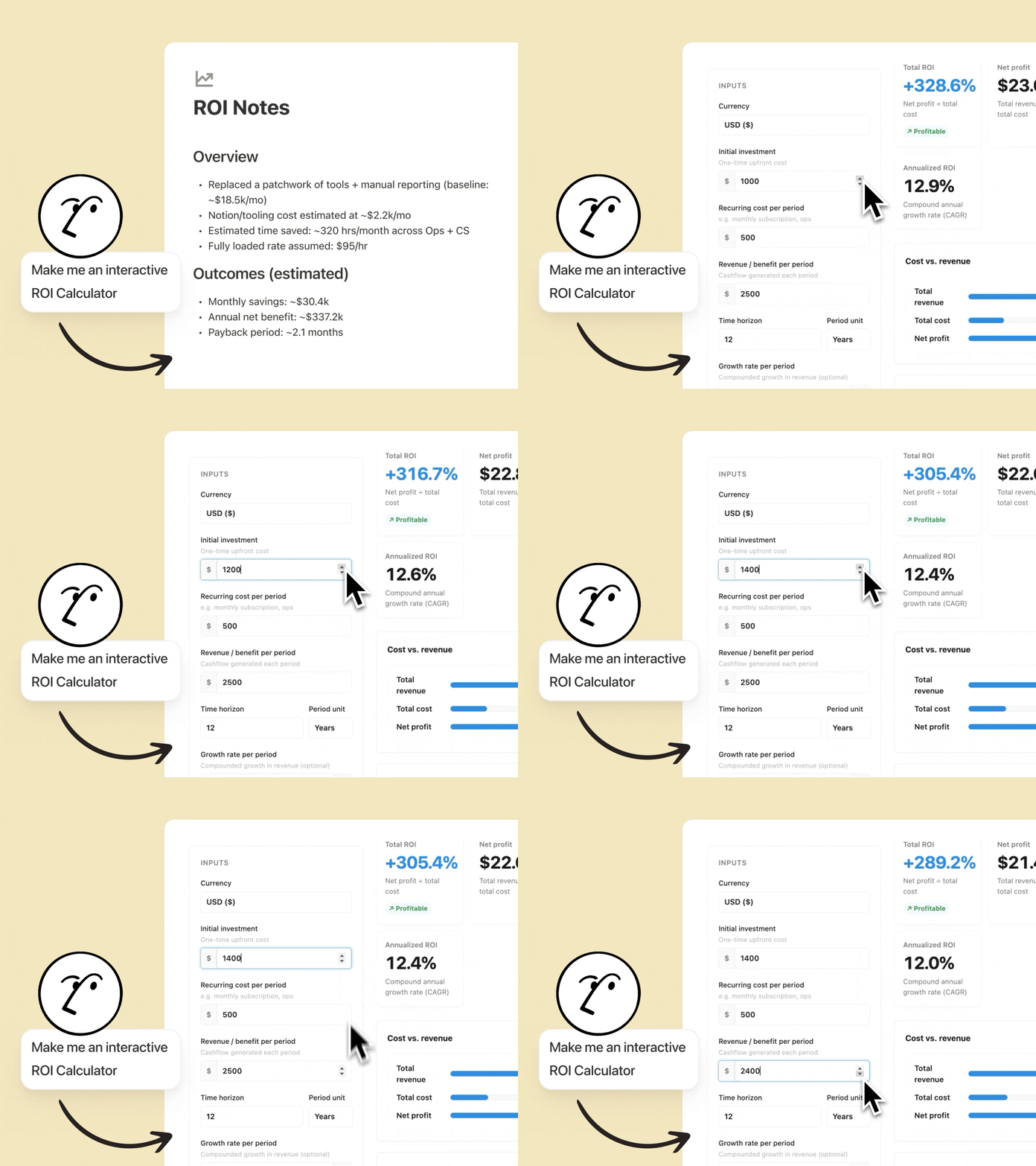
In plain English, it turns a Notion doc from something people read into something people use.
A block can be a quiz, a calculator, a scorecard, a slide deck, a mini dashboard, or a small game. It lives on the page like any other block, and anyone with access can use it or tweak it.
Your Notion Agent builds these for you. You describe what you want, it writes the code, and the result appears as an interactive block you can preview, edit, and refine. You can also paste your own code if you know your way around HTML.
One honest caveat worth saying up front. The interactive parts run inside the block, but they don’t natively write back to your Notion databases or your email tool. I’m pretty sure they will add this in future.
For real lead capture you still connect a form or an automation.
Why Notion HTML blocks are so powerful
Here’s why I think this is a bigger deal than the release notes made it sound.
It collapses your tool stack.
Every interactive tool you fold into Notion is one less login, one less monthly bill, and one less thing to maintain alone.
For a solopreneur, that’s real money and real time back.
It removes friction.
The gap between “I have an idea” and “it’s live” used to run through three apps and a setup process.
Now it runs through one block. One idea, one prompt, live in minutes.
It makes content sticky.
A static list of tips gets skimmed.
A quiz that scores you and hands you a next step gets used, saved, and shared. Interactivity beats prose on retention almost every time.
It gives you something to sell.
You can gate interactive tools behind a paid tier.
Free readers see a screenshot.
Members get the working thing.
That’s a concrete reason to upgrade, not a vague promise.
The story here isn’t really the feature. It’s what the feature removes.
Subscription creep, tool switching, and setup friction are the exact things that stop solo operators from shipping.
Notion HTML blocks quietly delete a lot of that.
Who Notion HTML blocks are for
Not everyone needs to build a calculator this week. But a few groups get outsized value right away.
Solopreneurs and creators. Turn your frameworks into interactive lead magnets, and give your audience tools instead of just posts.
Newsletter and course builders. Drop a 3-question check at the end of a lesson so the idea sticks, or build a scorecard readers actually complete.
Coaches and consultants. Ship a diagnostic quiz that routes people to the right offer based on their answers.
Small teams. Build a shared ROI calculator, quiz teammates on a new feature doc, or map a people database as an org chart, all without opening another tool.
Product and template sellers. Ship a working mini-version of your system so buyers feel it before they buy.
If you publish anything, teach anything, or sell anything, this is for you.
How to activate a Notion HTML block
Getting one running is simple.
Open any page. A new page, a newsletter draft, a landing page, anything.
Insert the block. Type
/htmland select the HTML block from the menu.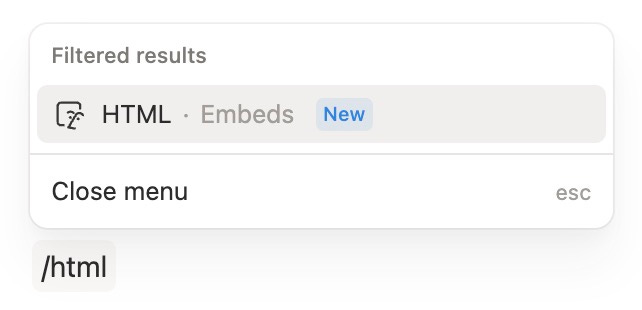
Choose your path. You can paste your own HTML, CSS, and JavaScript, or let Notion build it for you with Create with AI.
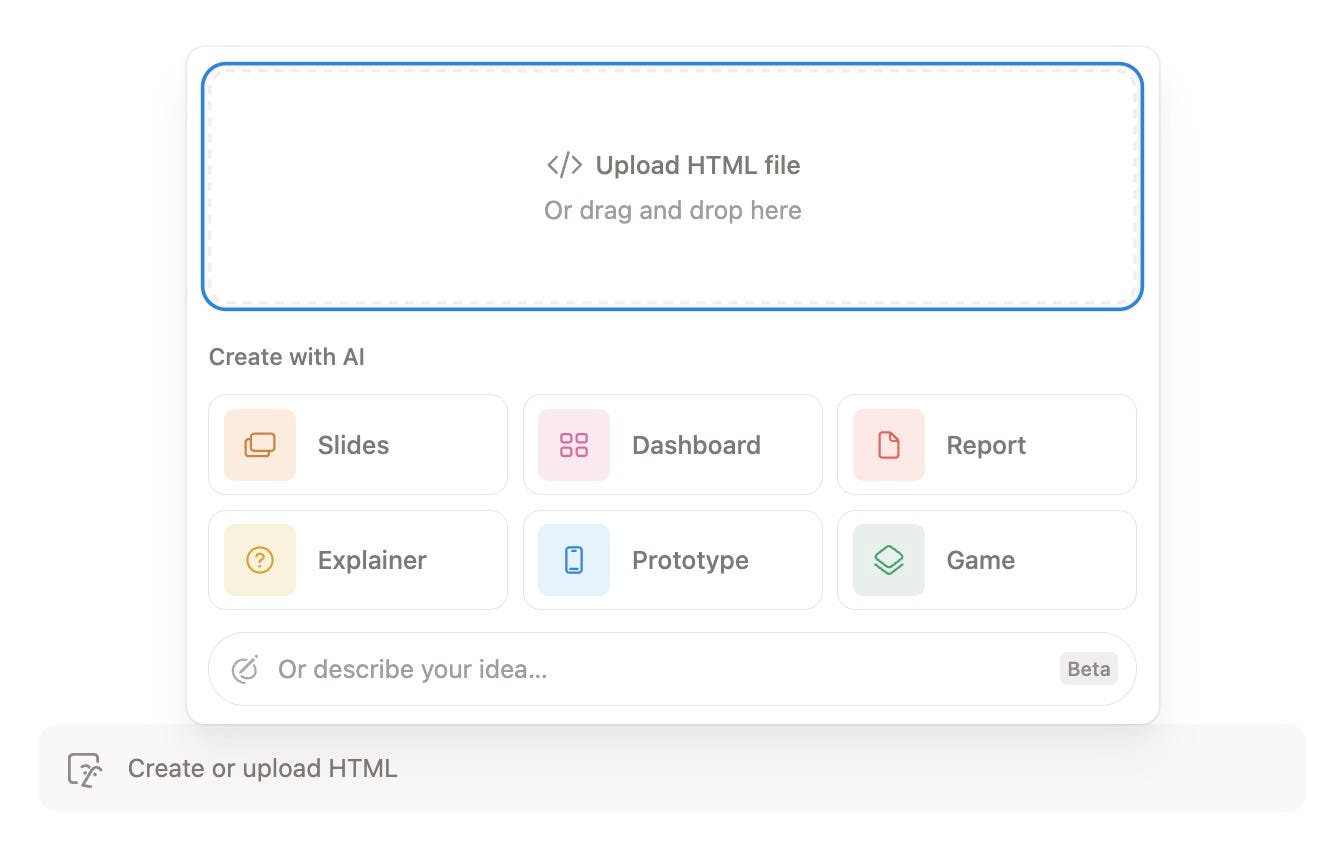
Pick a build type. If you go the AI route, you choose what kind of artifact you want (more on the six options below).
Describe what you want. Be specific. Name the inputs, the output, and the action you want the user to take at the end.
Preview and iterate. Notion generates the block. You test it live, then ask for tweaks until it feels right.
Publish and share. Leave it on the page. Anyone with access can use it or build on it.
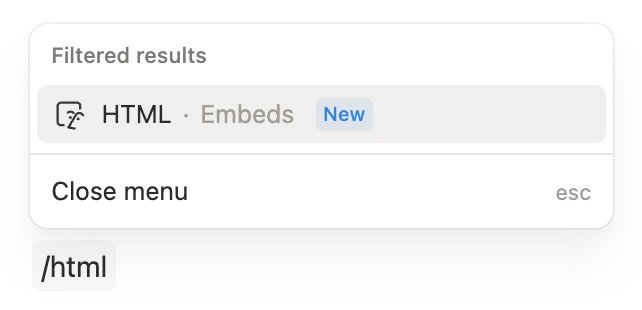
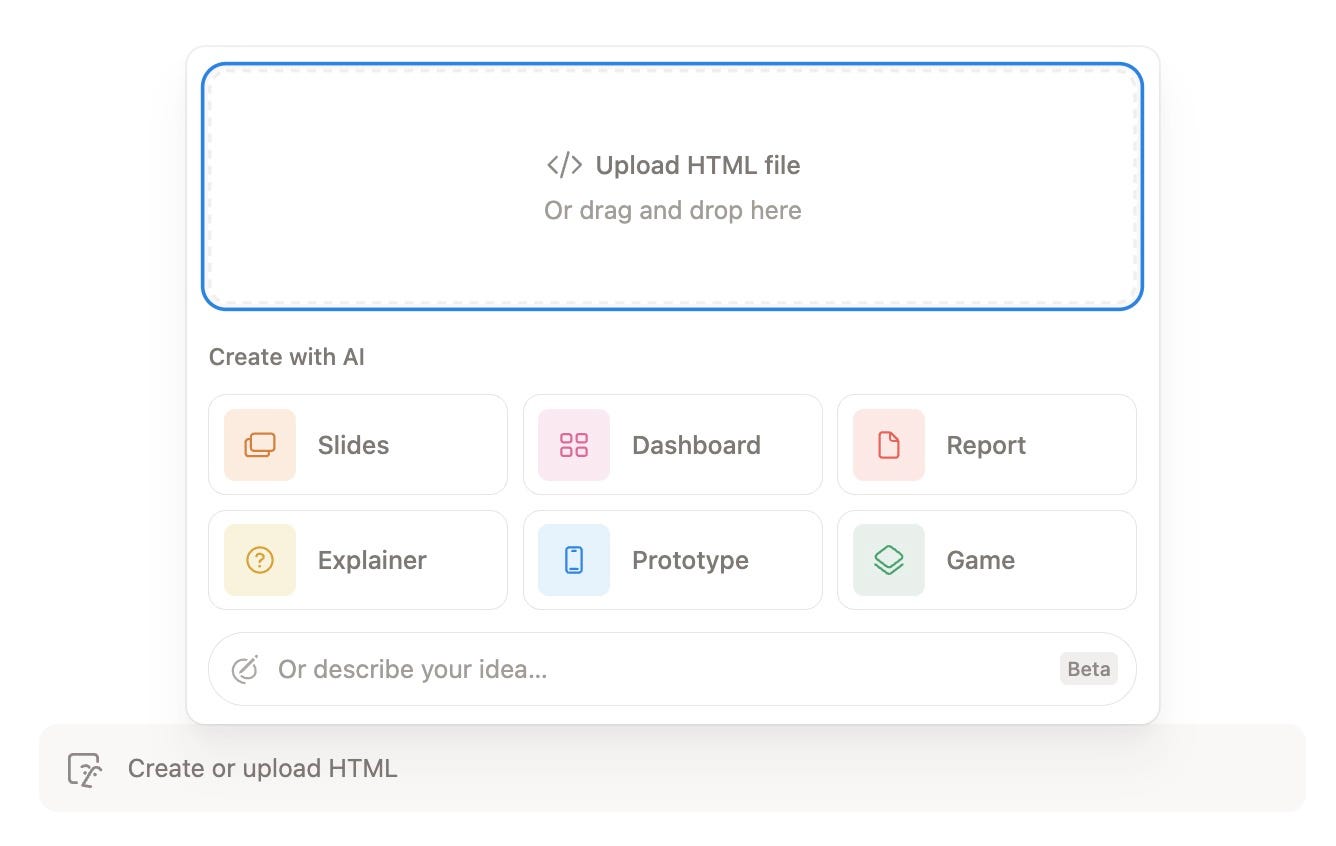
That’s the whole loop. Insert, describe, refine, ship.
The six Create with AI options (and what each is for)
When you build with AI, you pick the kind of thing you’re making.
Each one nudges the output in a different direction.
Slides. A presentation deck inside your page. Great for pitches, mini-lessons, or turning a long doc into a click-through story.
Dashboard. An interactive view of numbers and metrics. Think KPI trackers, progress meters, or a simple stats panel your reader can play with.
Report. A structured, visual write-up. Use it to package findings, summaries, or a clean one-page breakdown that looks designed, not dumped.
Explainer. An interactive walkthrough of a concept. Perfect for teaching a framework step by step instead of listing it as bullet points.
Prototype. A clickable mock-up of a tool or app. Ideal for testing an idea, showing a buyer what your product feels like, or sketching a UI fast.
Game. An interactive game or playful quiz. The highest-engagement option, and a sneaky-good lead magnet when the result maps to your offer.
My rule of thumb: use Explainer and Slides for teaching, Dashboard and Report for data, and Prototype and Game for engagement and lead capture.
The 15 Notion HTML blocks I built in under 2 hours
Once I understood the flow, I couldn’t stop.
Less than two hours later I had 15 working blocks.
Here’s each one, briefly.
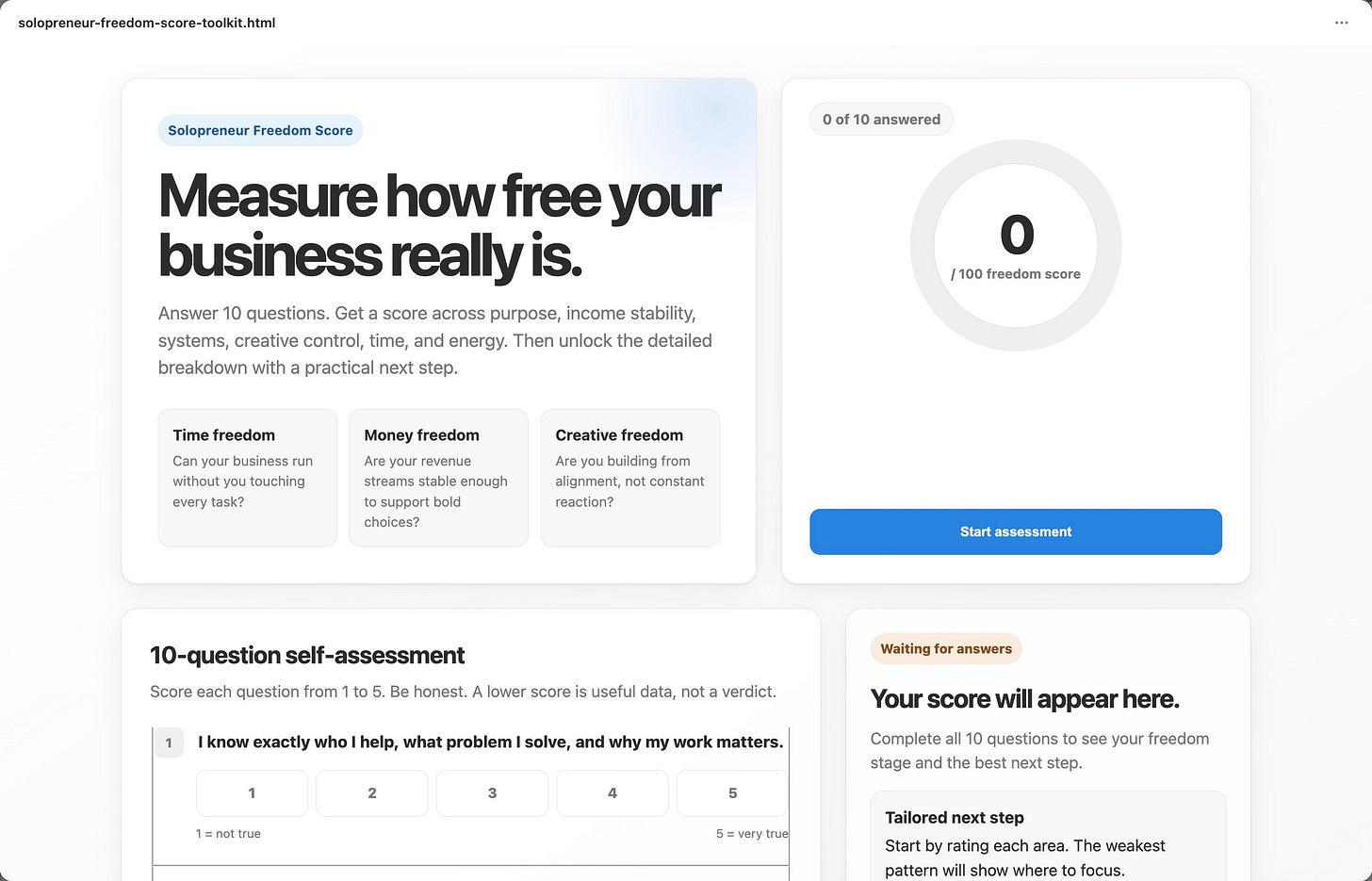
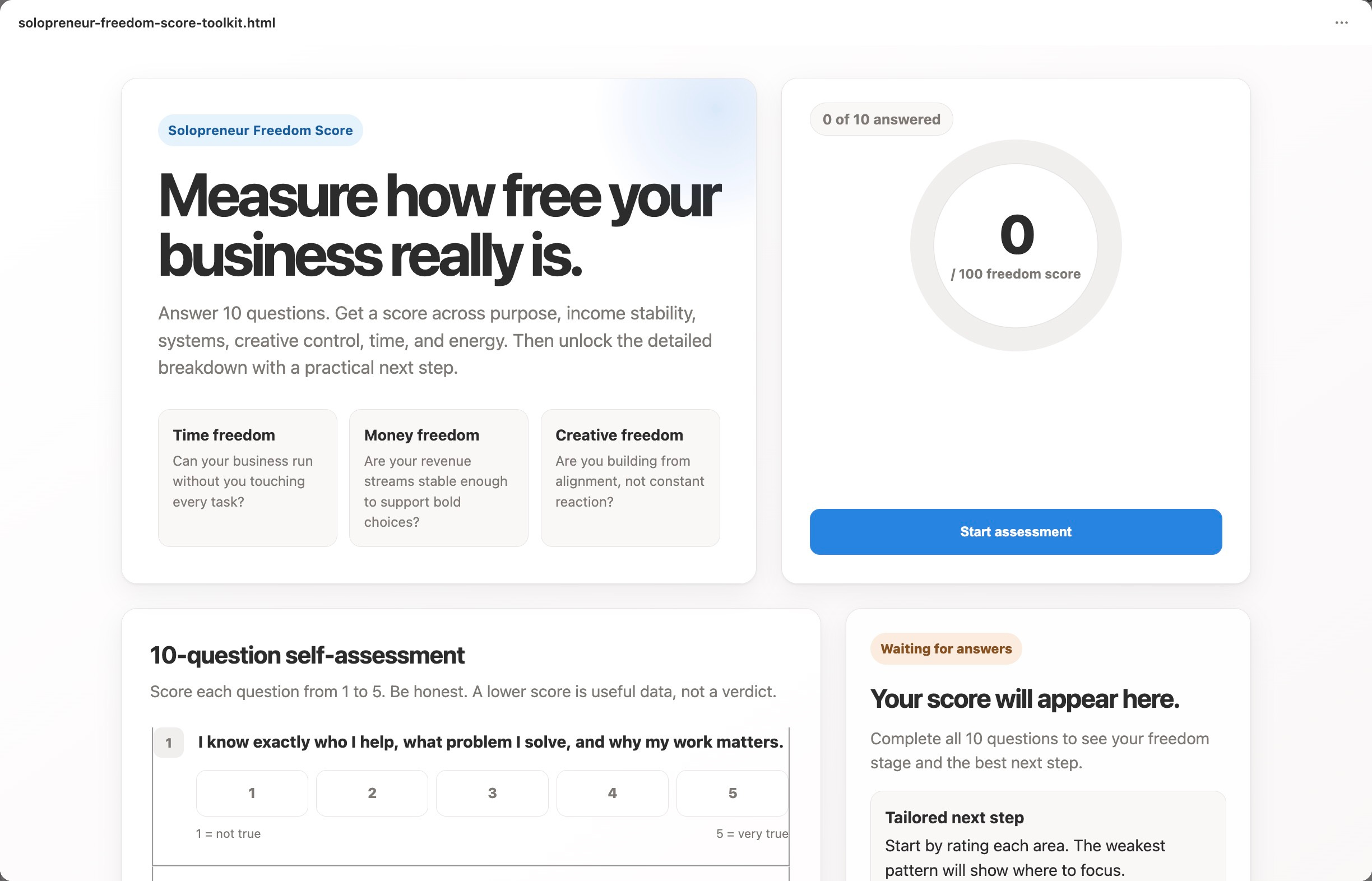
Solopreneur Freedom Score. A 10-question self-assessment that scores how close you are to real freedom, then hands you a tailored next step. This can be one of my flagship lead magnet.
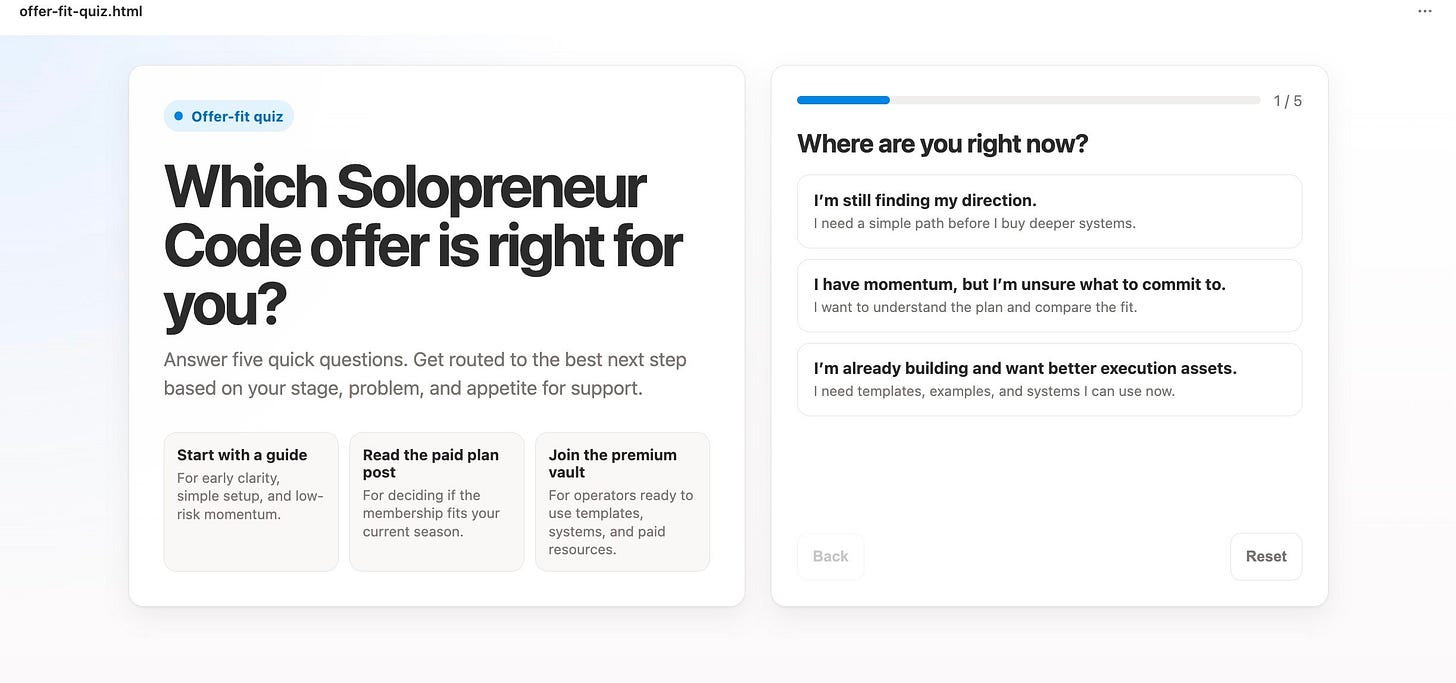
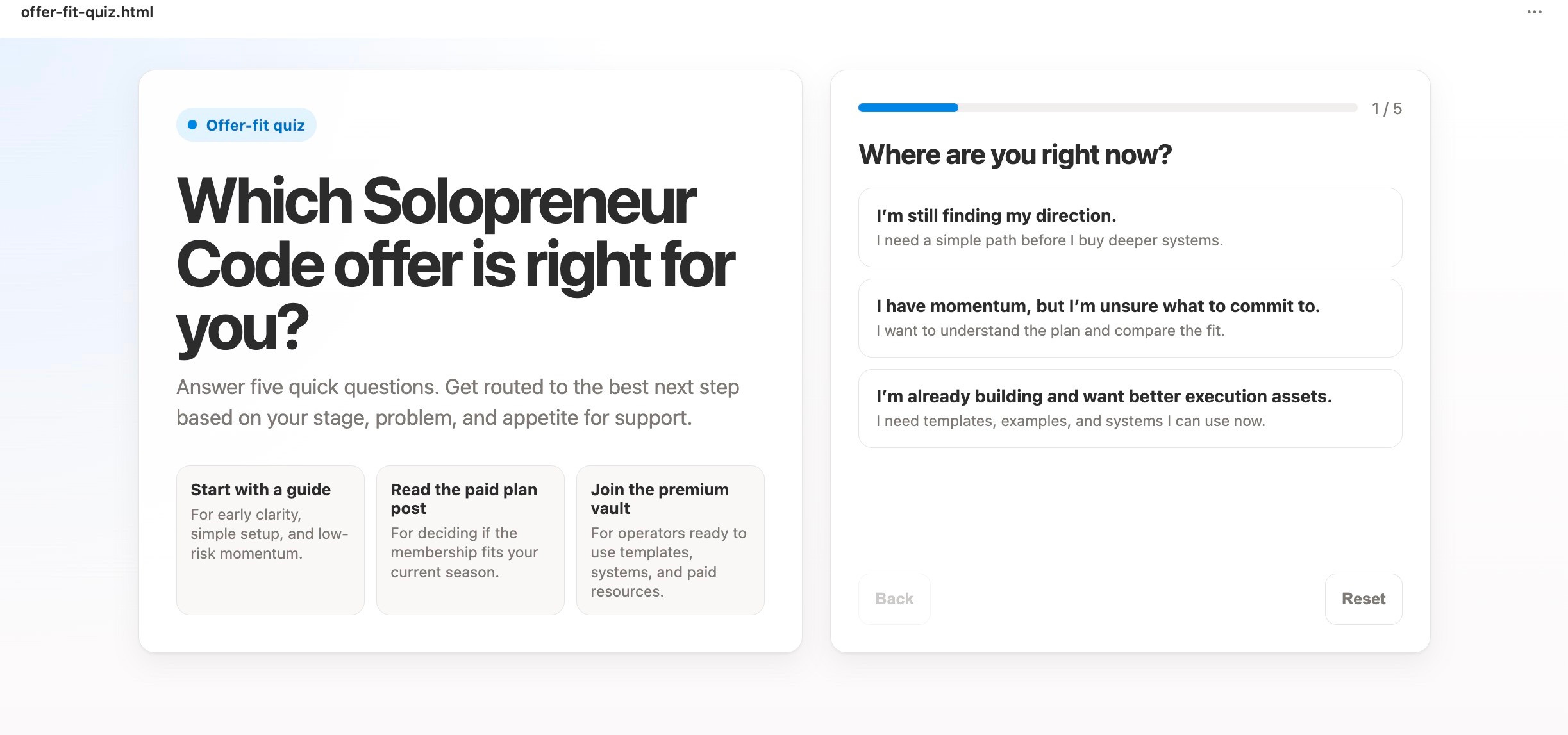
Offer-Fit Quiz. Five quick questions that route a reader to the right offer, whether that’s a guide, a done-with-you program, or the Mastery Club, based on their stage and appetite for support.
Start with a guide - For early clarity, simple setup, and low-risk momentum.
Read the paid plan post - For deciding if the membership fits your current season.
Join the premium vault - For operators ready to use templates, systems, and paid resources.
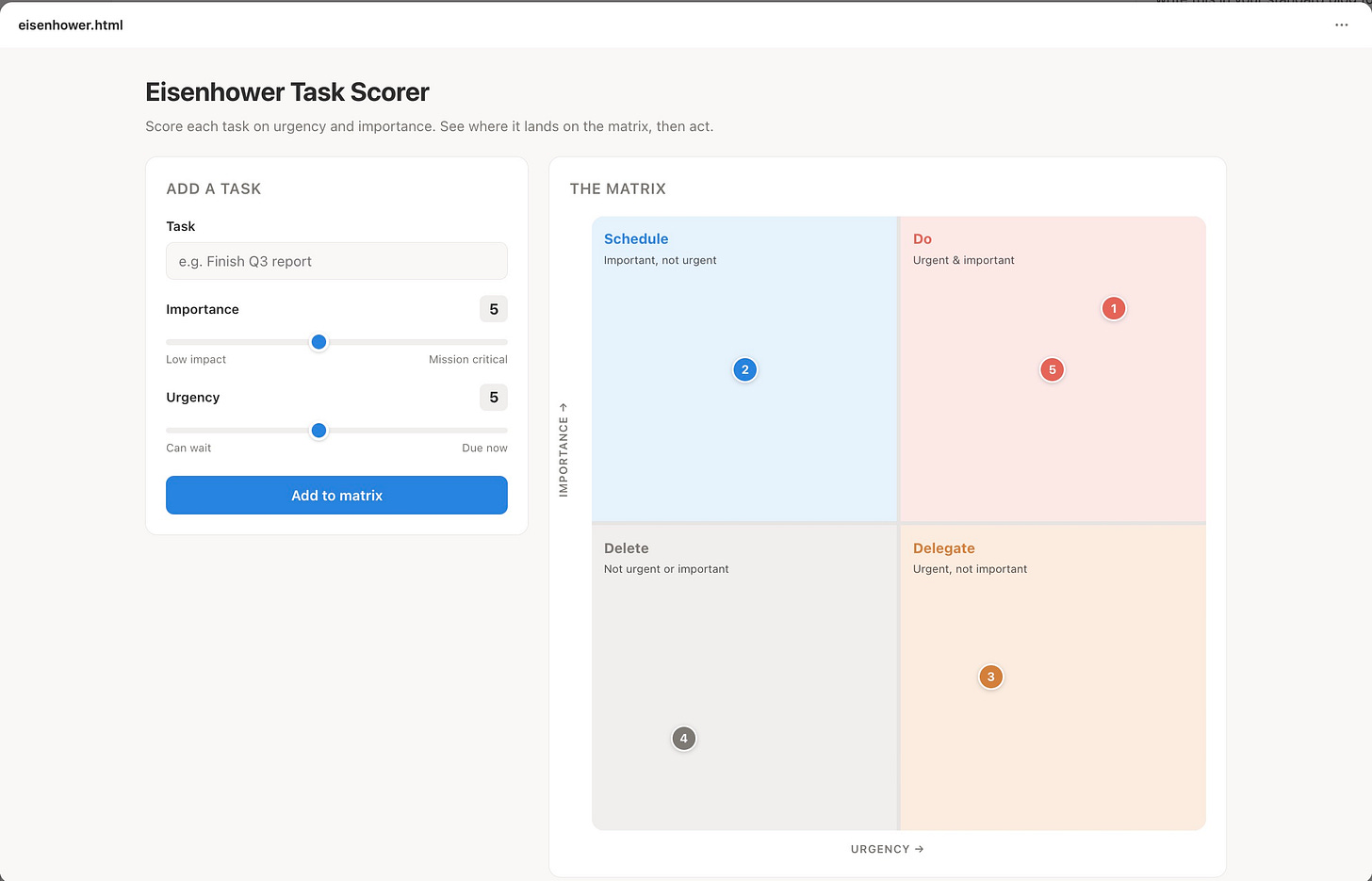
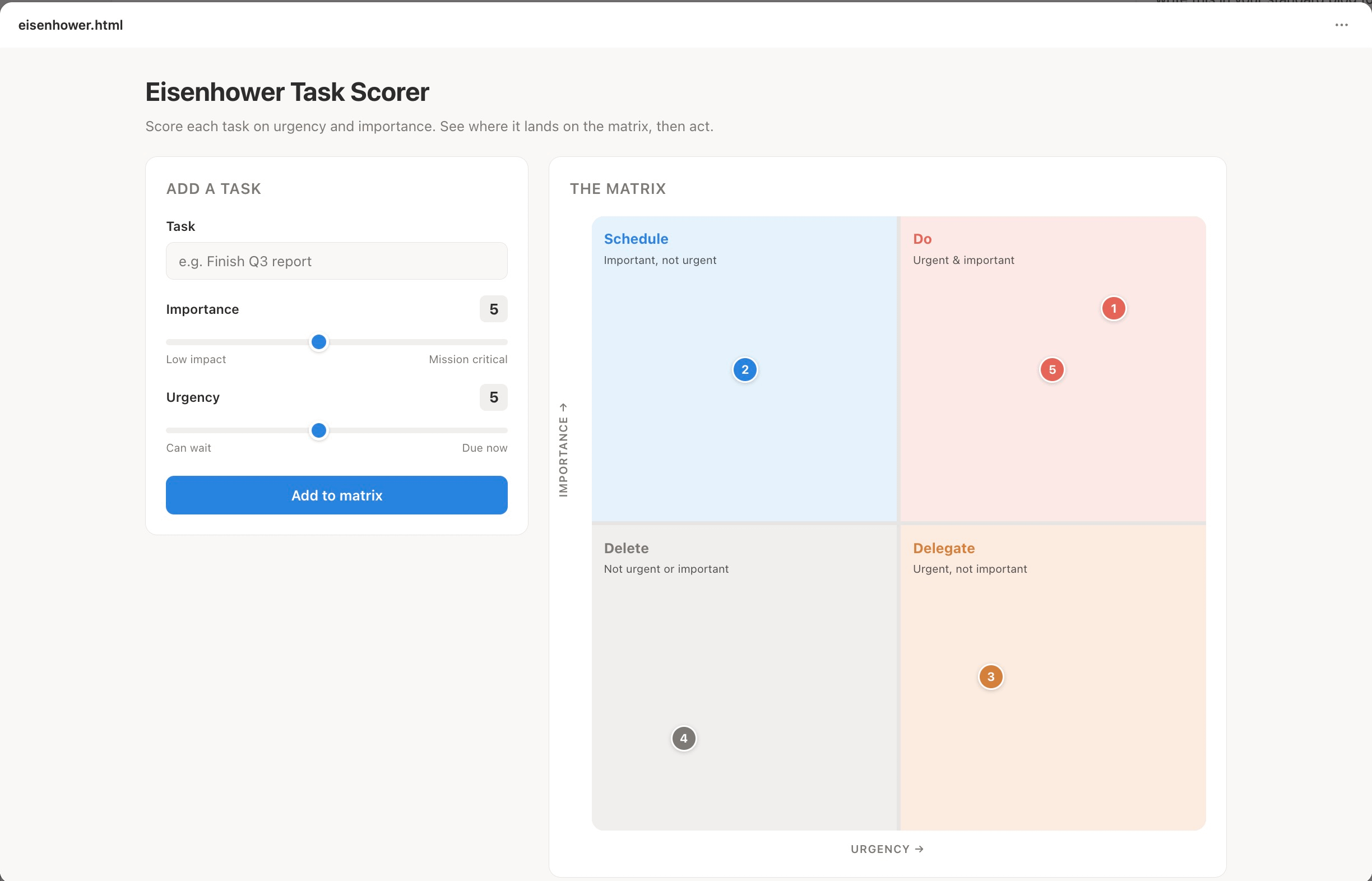
Eisenhower Task Scorer. A live version of the urgent-important matrix. Drop your tasks in and it tells you what to do now, schedule, delegate, or delete.
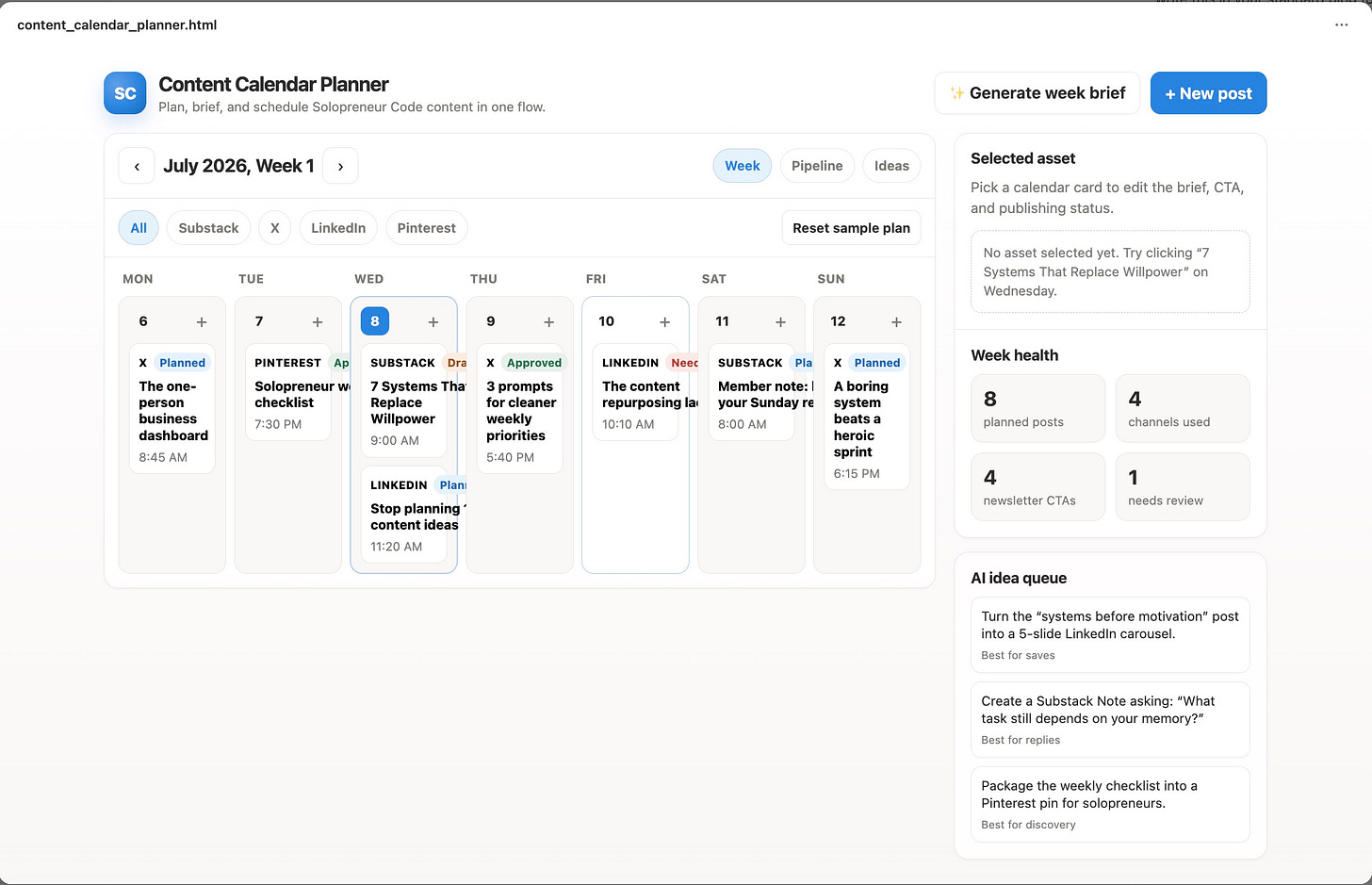
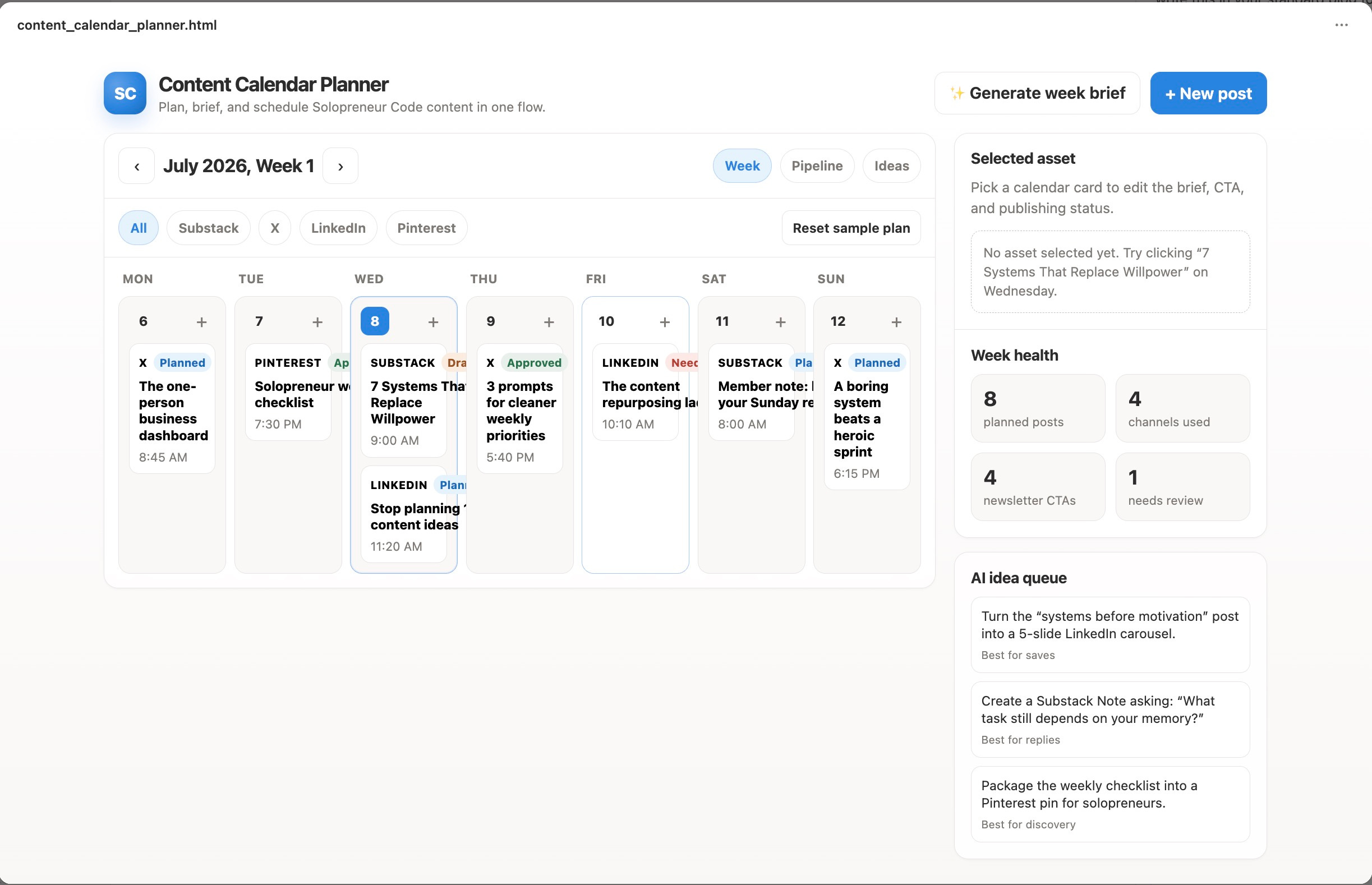
Content Calendar Planner. Plan a week or month of content right on the page. See everything in one overview.
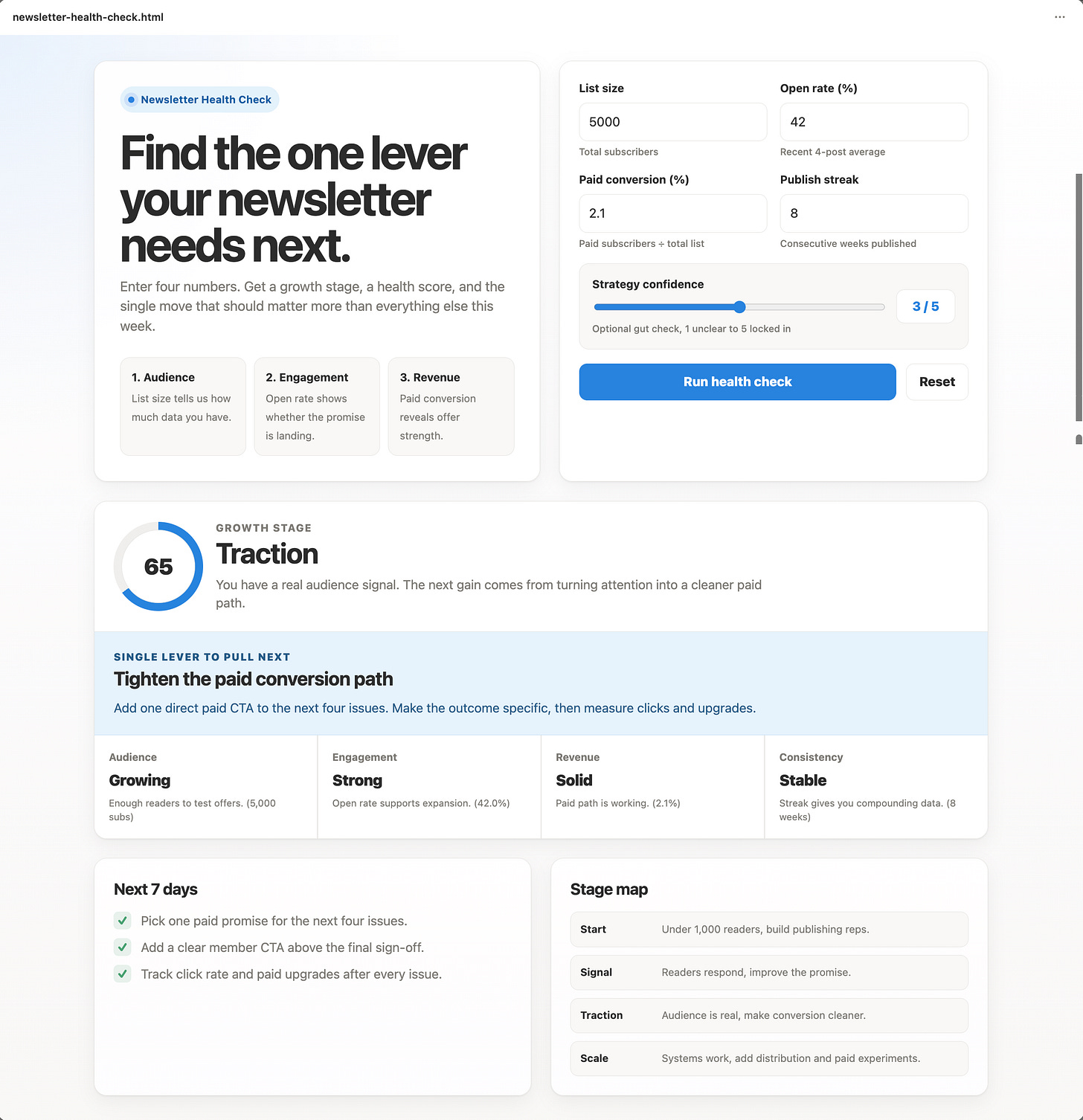
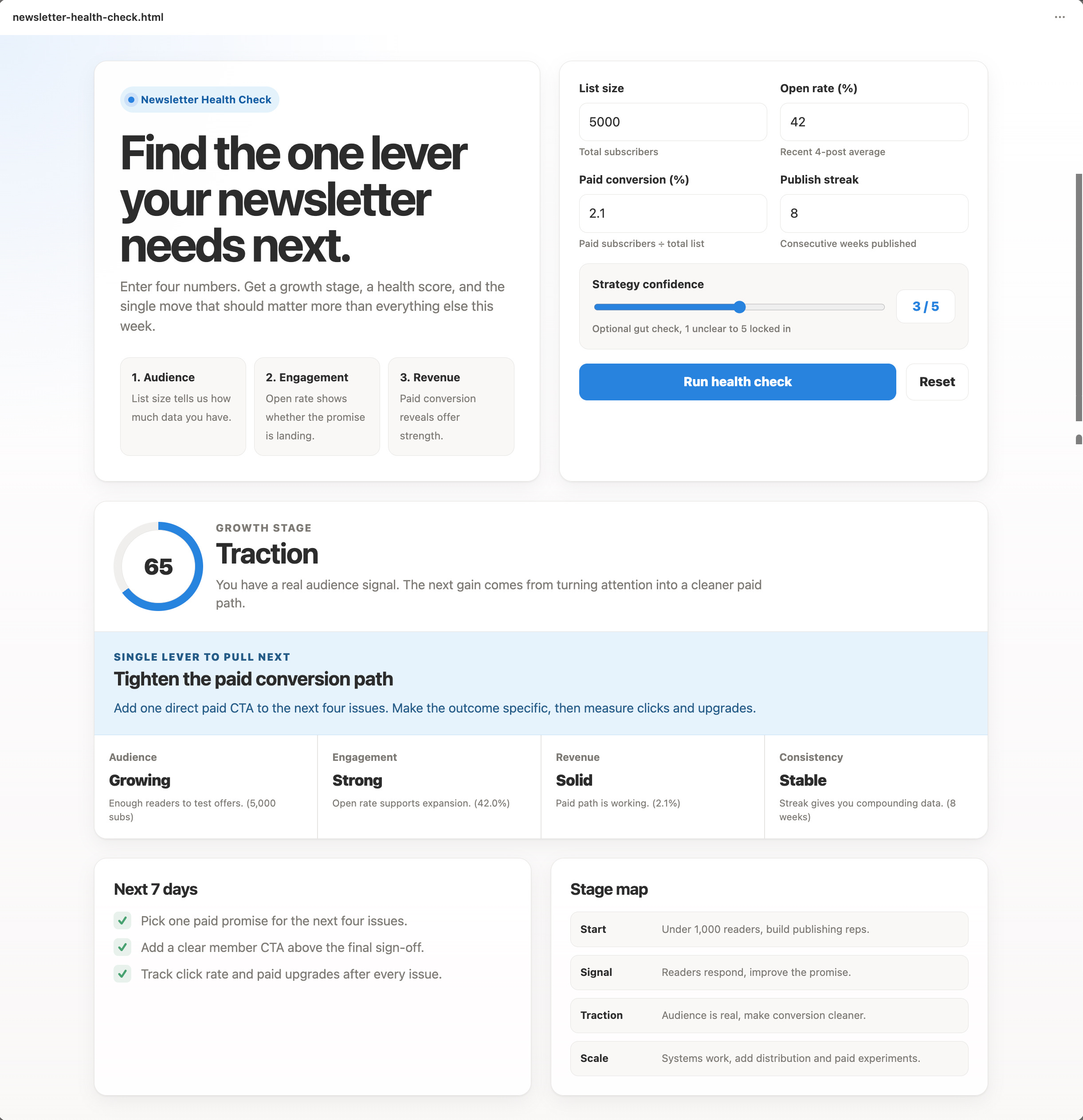
Newsletter Health Checker. Enter open rate, list size, paid conversion, and publish streak. Get a growth stage, a health score, and the single move that should matter more than everything else this week.
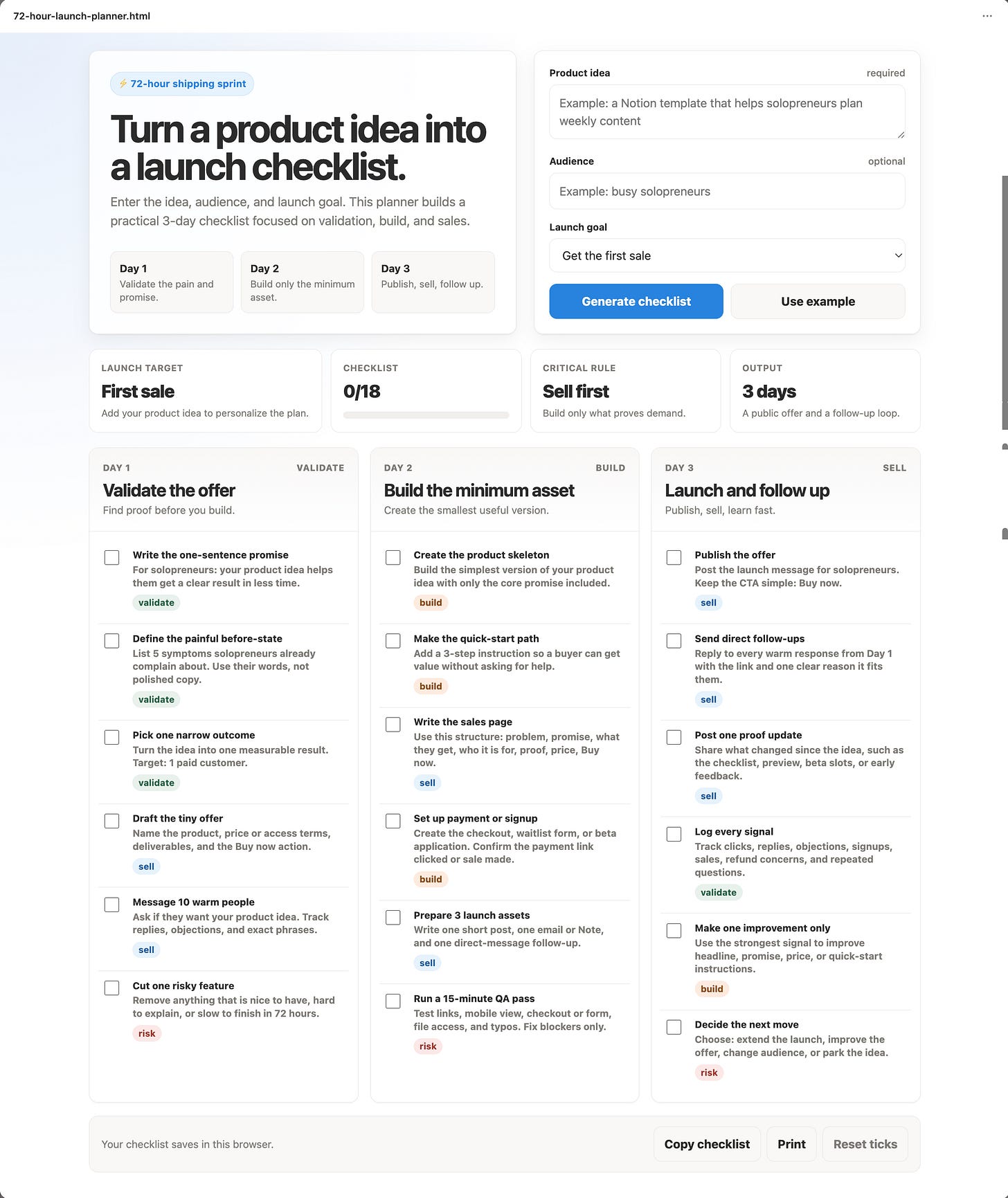
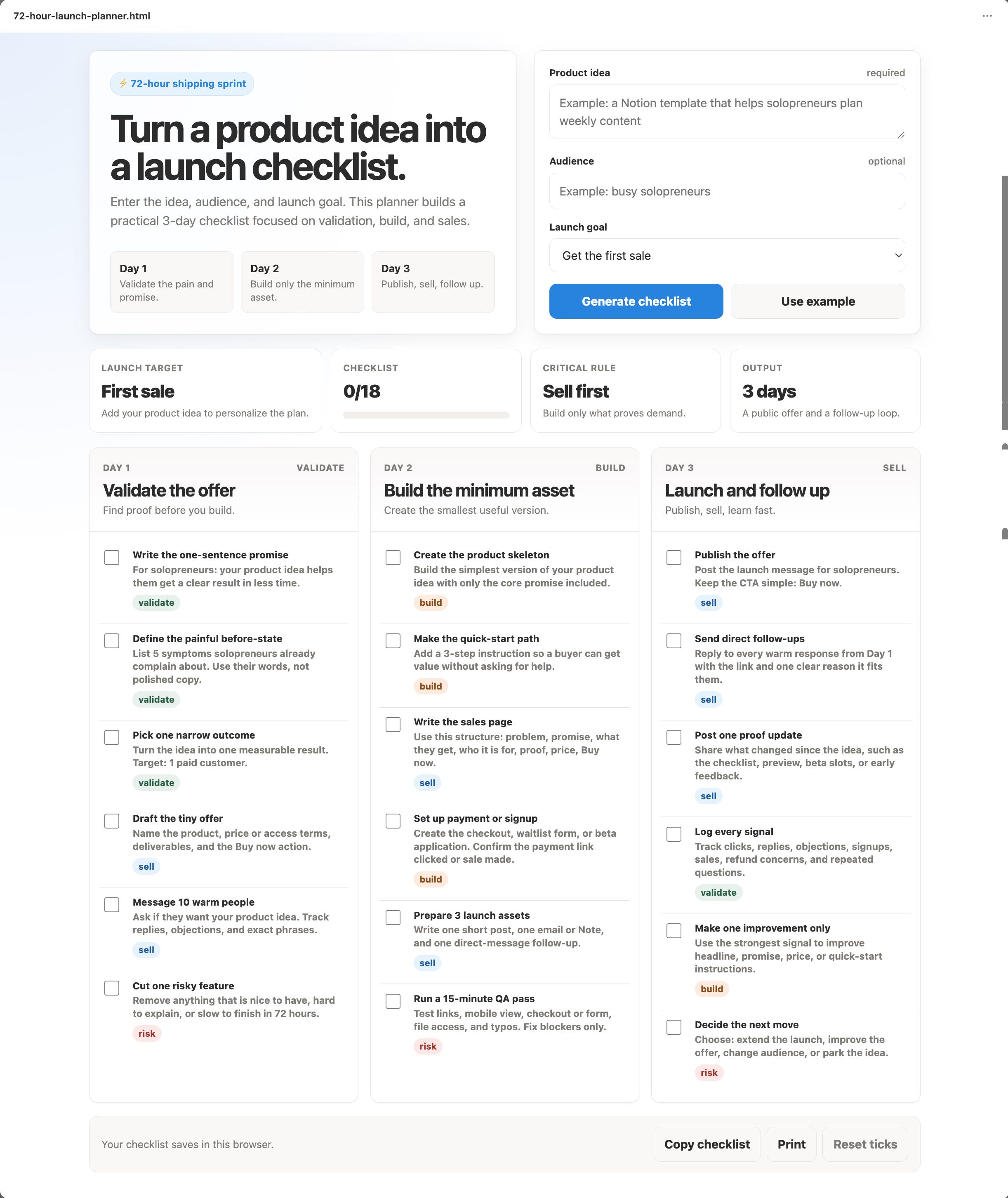
72-Hour Launch Planner. Enter a product idea and get a filled 3-day checklist to ship it. Straight from my “ship first, polish later” rule.
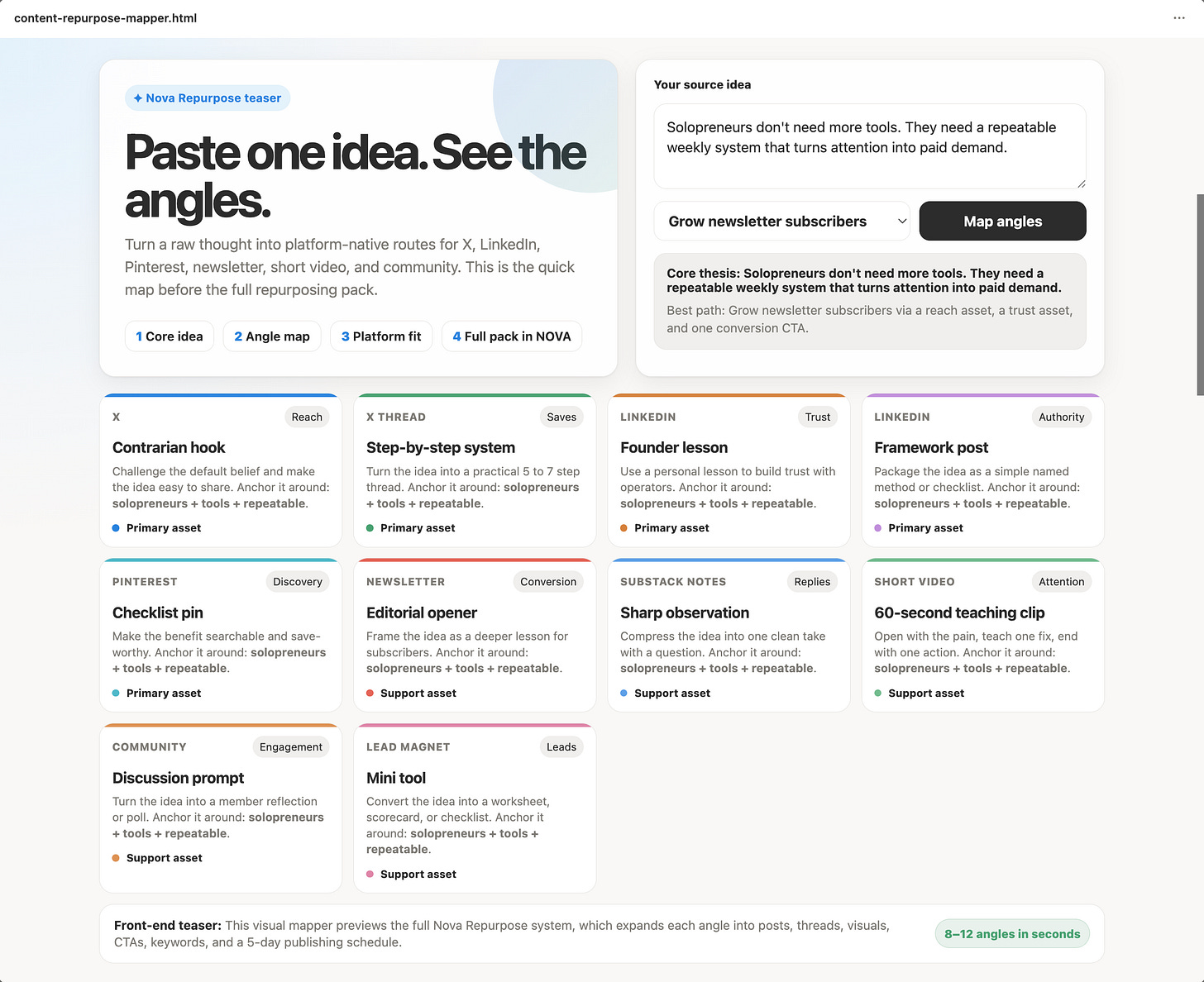
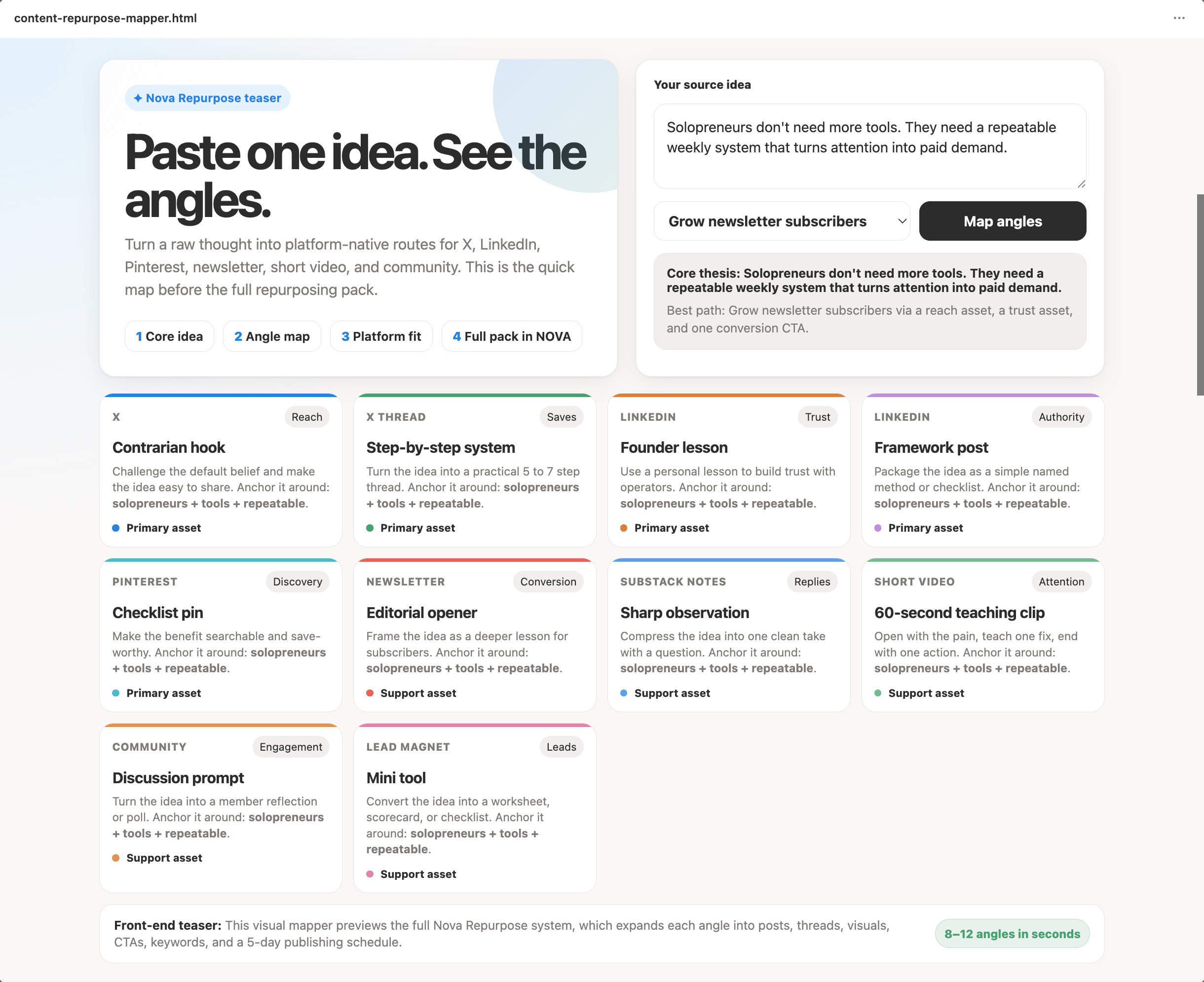
Content Repurpose Mapper. Paste one idea and see 8 to 12 platform-native angles laid out visually. A front-end teaser for my full repurposing system.
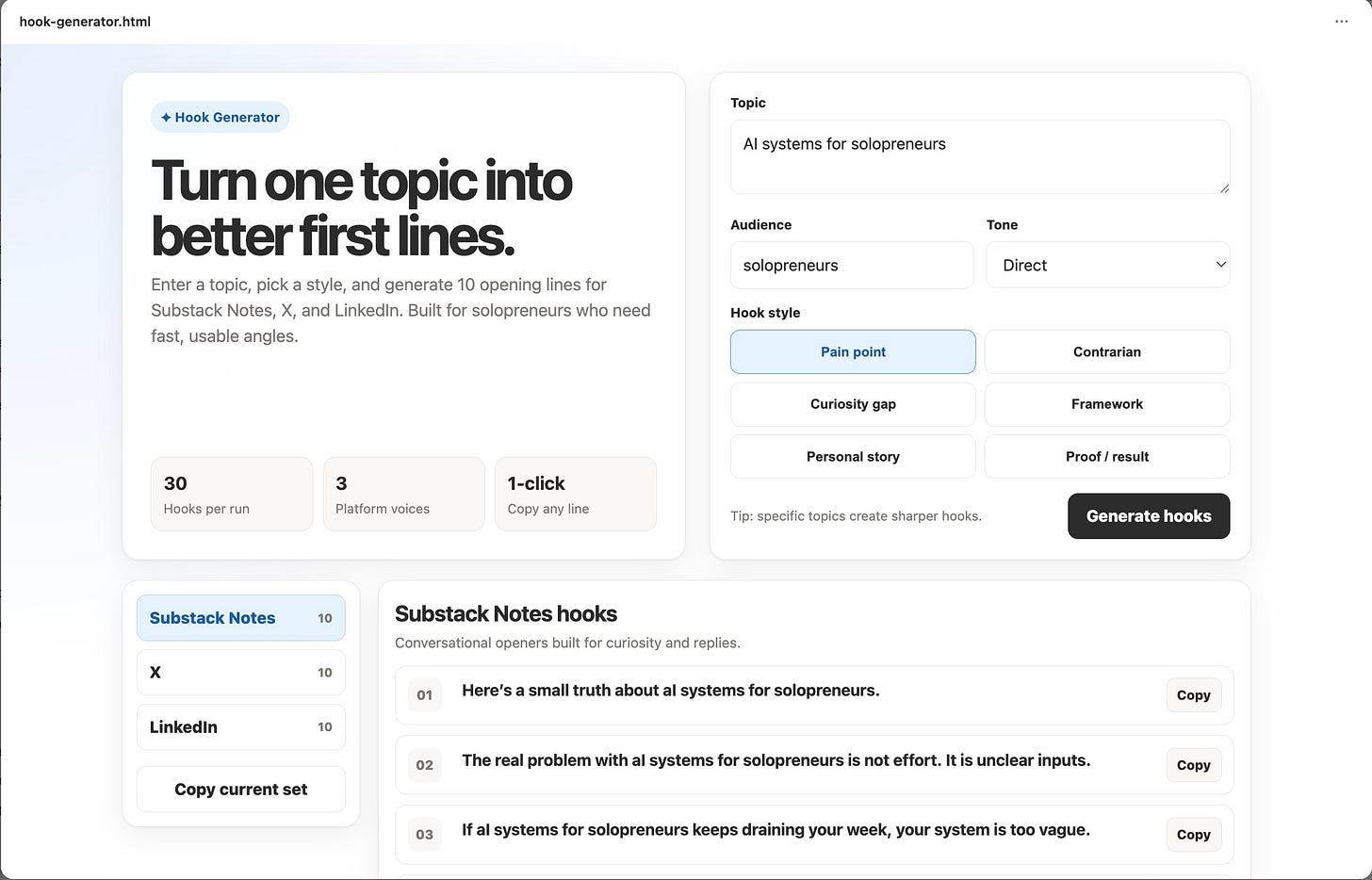
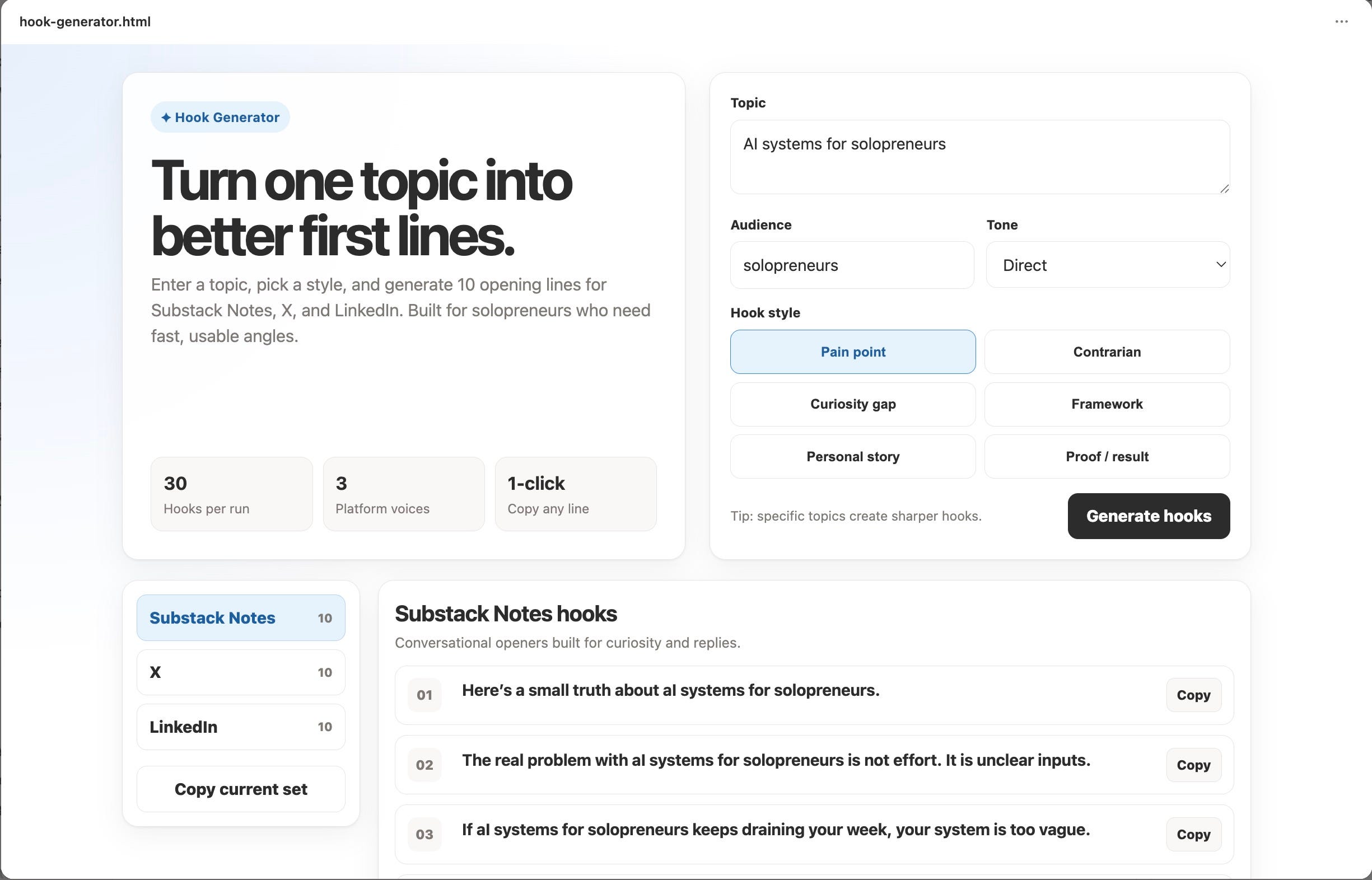
Hook Generator. Enter a topic, pick a style, and get 10 scroll-stopping first lines for Substack Notes, X, and LinkedIn.
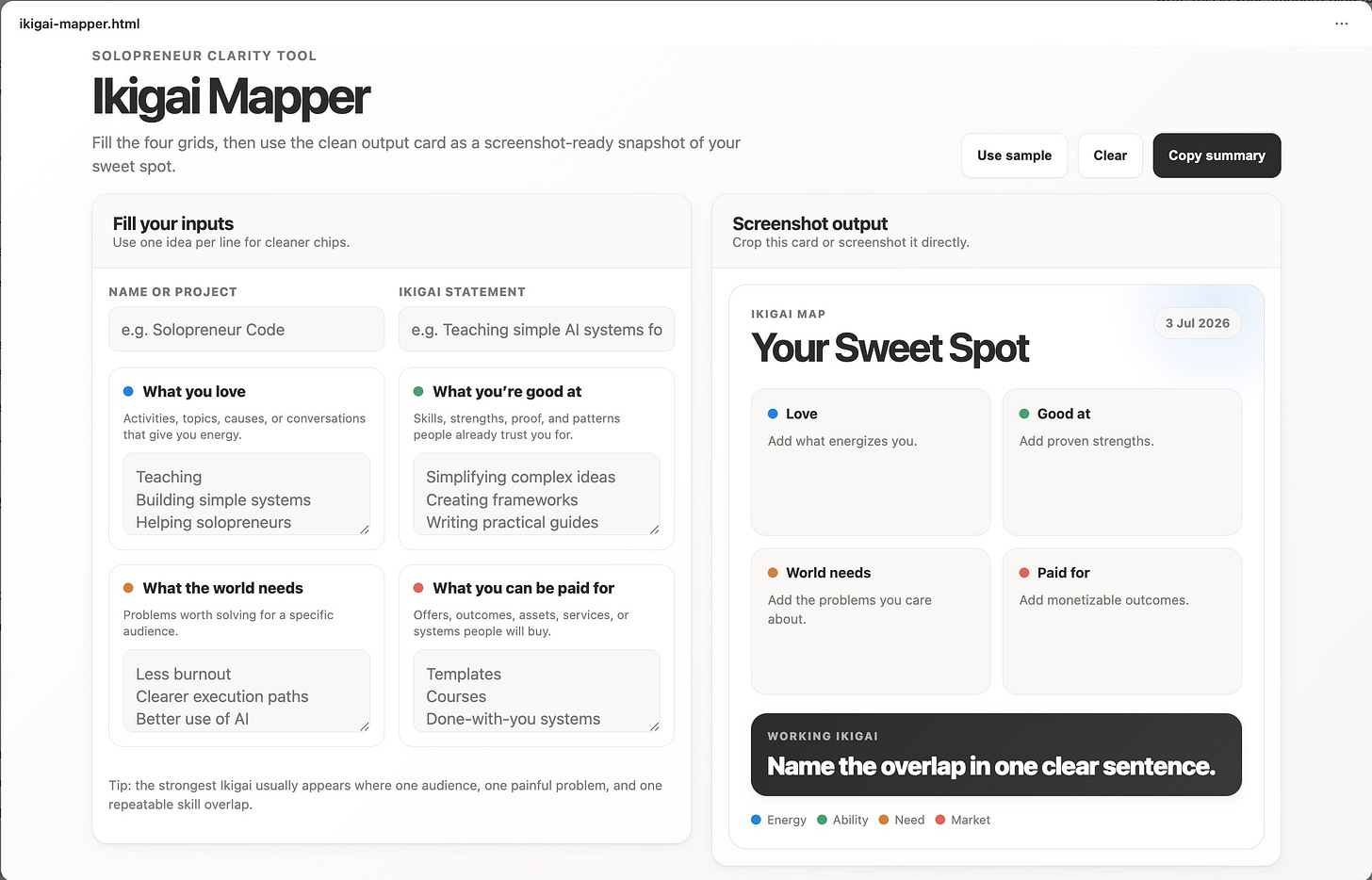
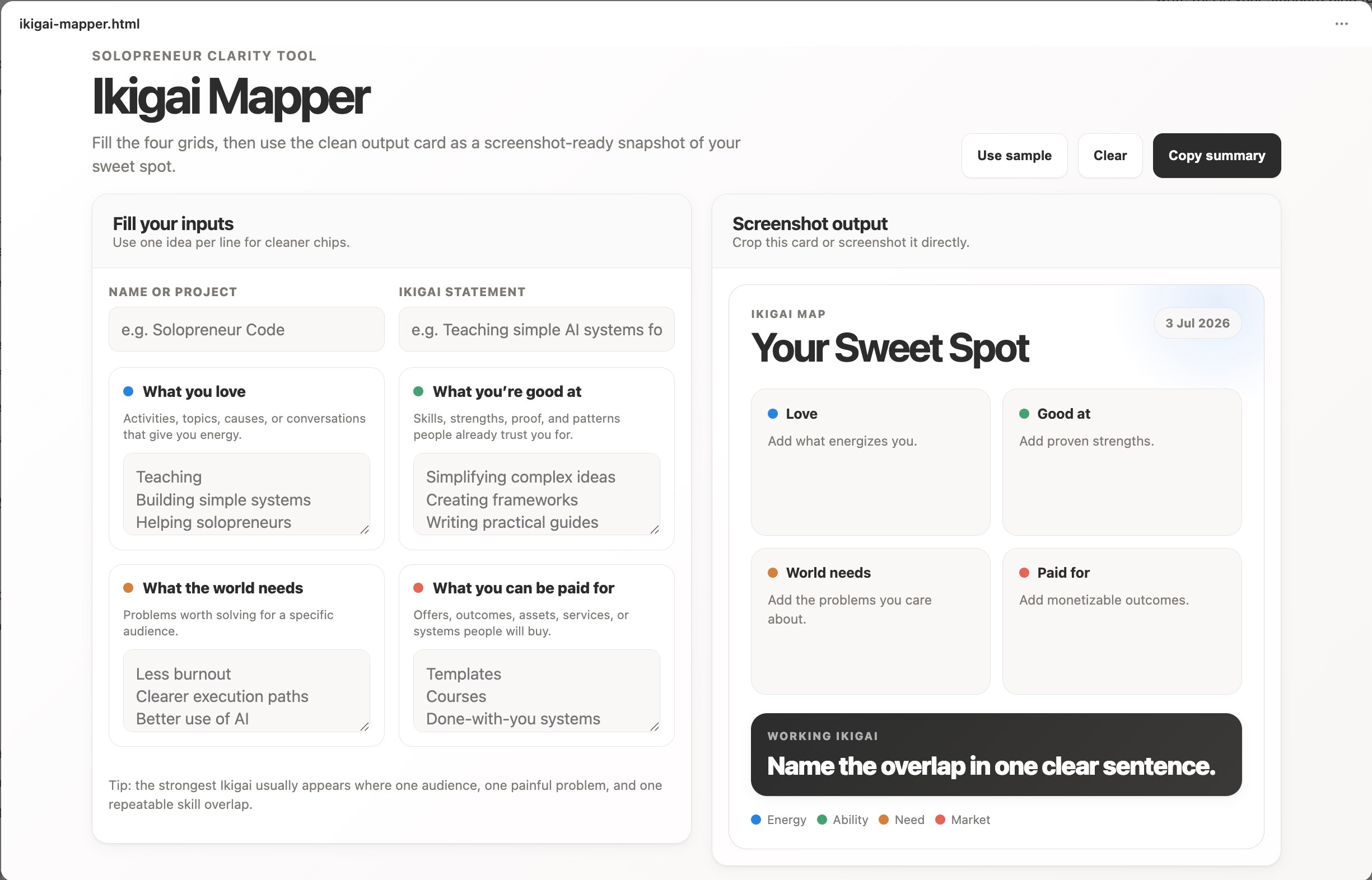
Ikigai Mapper. Fill the four grids, then use the clean output card as a screenshot-ready snapshot of your sweet spot.
What you love
What you’re good at
What the world needs
What you can be paid for
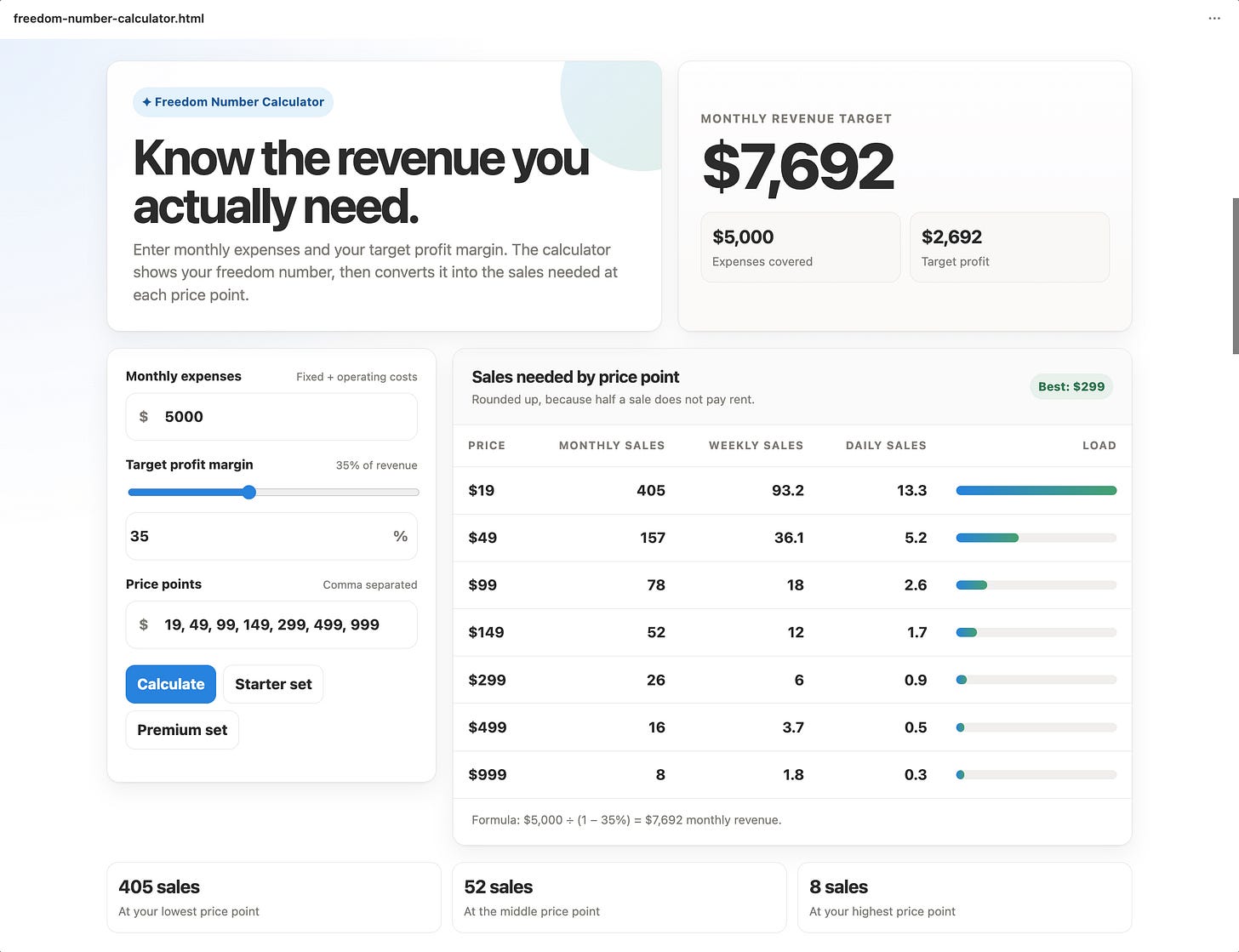
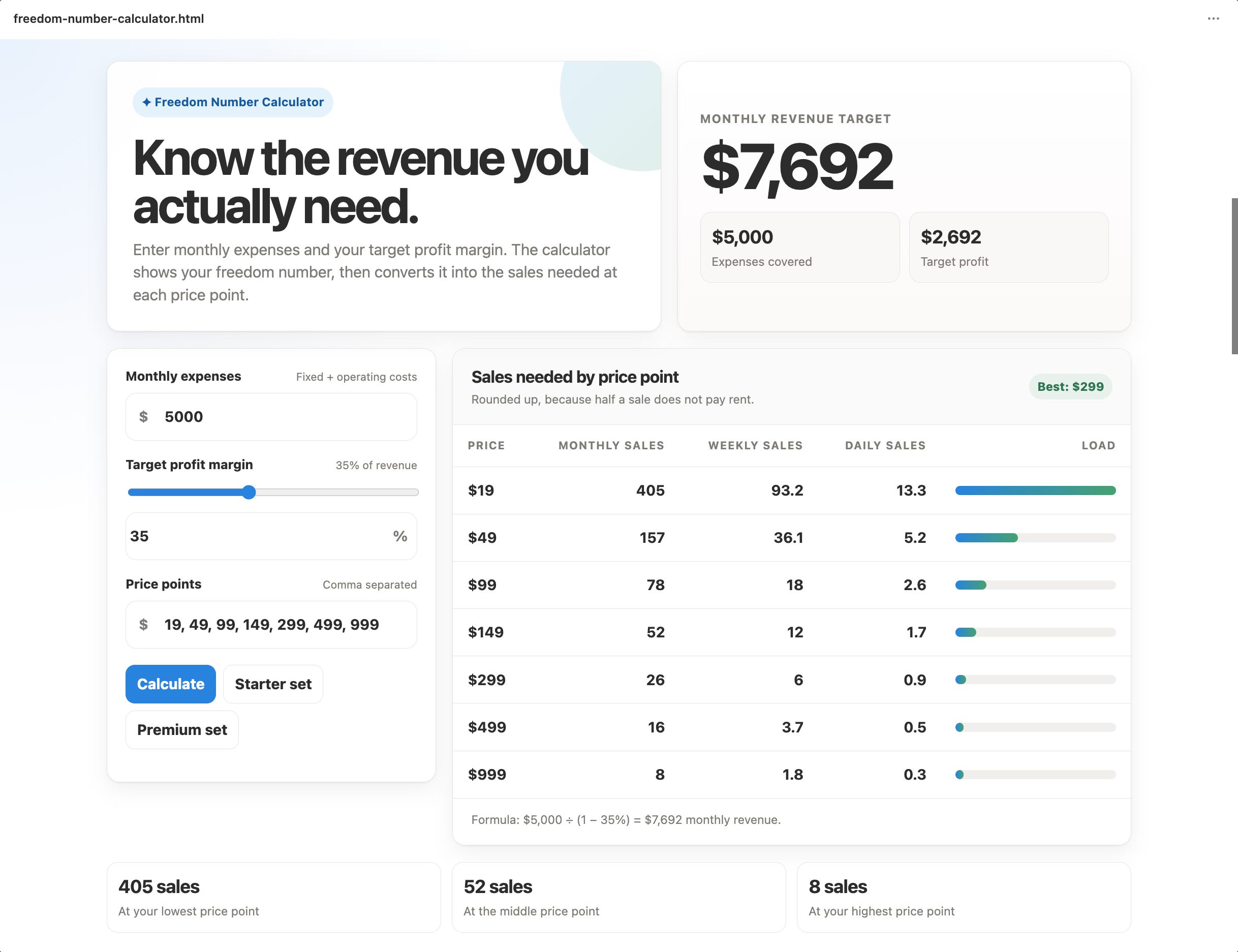
Freedom Number Calculator. Enter your monthly expenses and target margin, and it shows the revenue you actually need, plus how many sales at each price point hit that number.
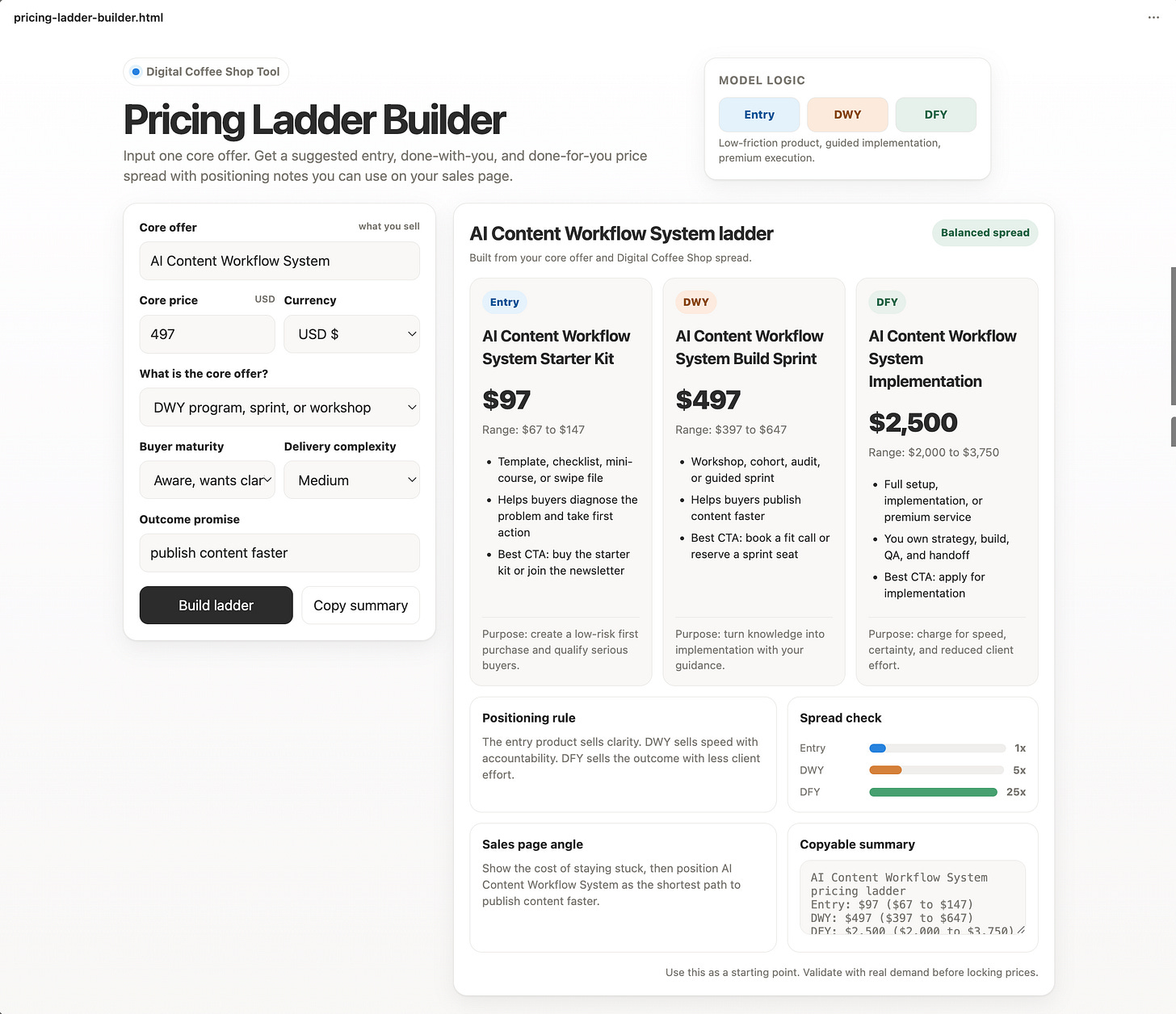
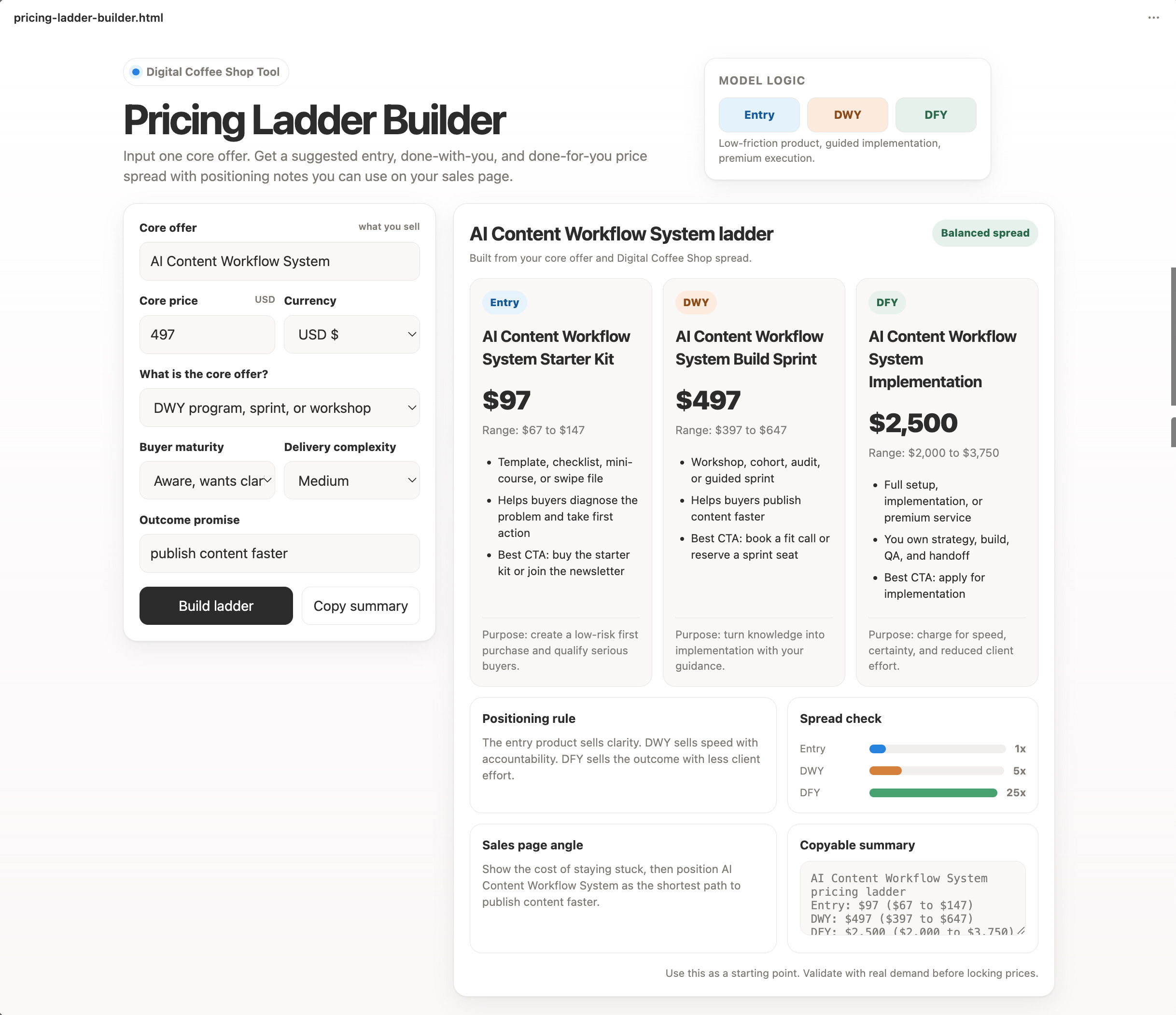
Pricing Ladder Builder. Input one core offer. Get a suggested entry, done-with-you, and done-for-you price spread with positioning notes you can use on your sales page.
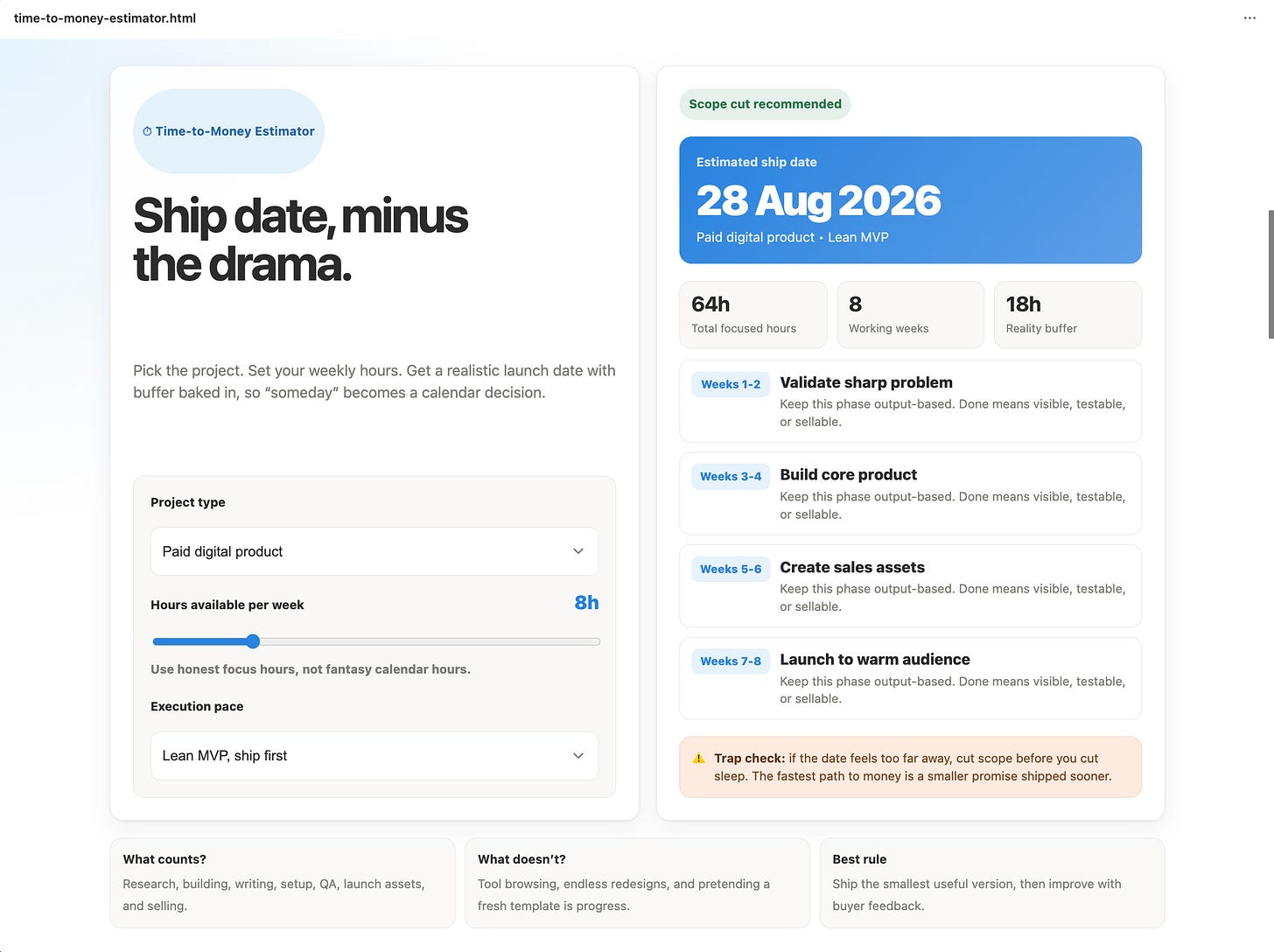
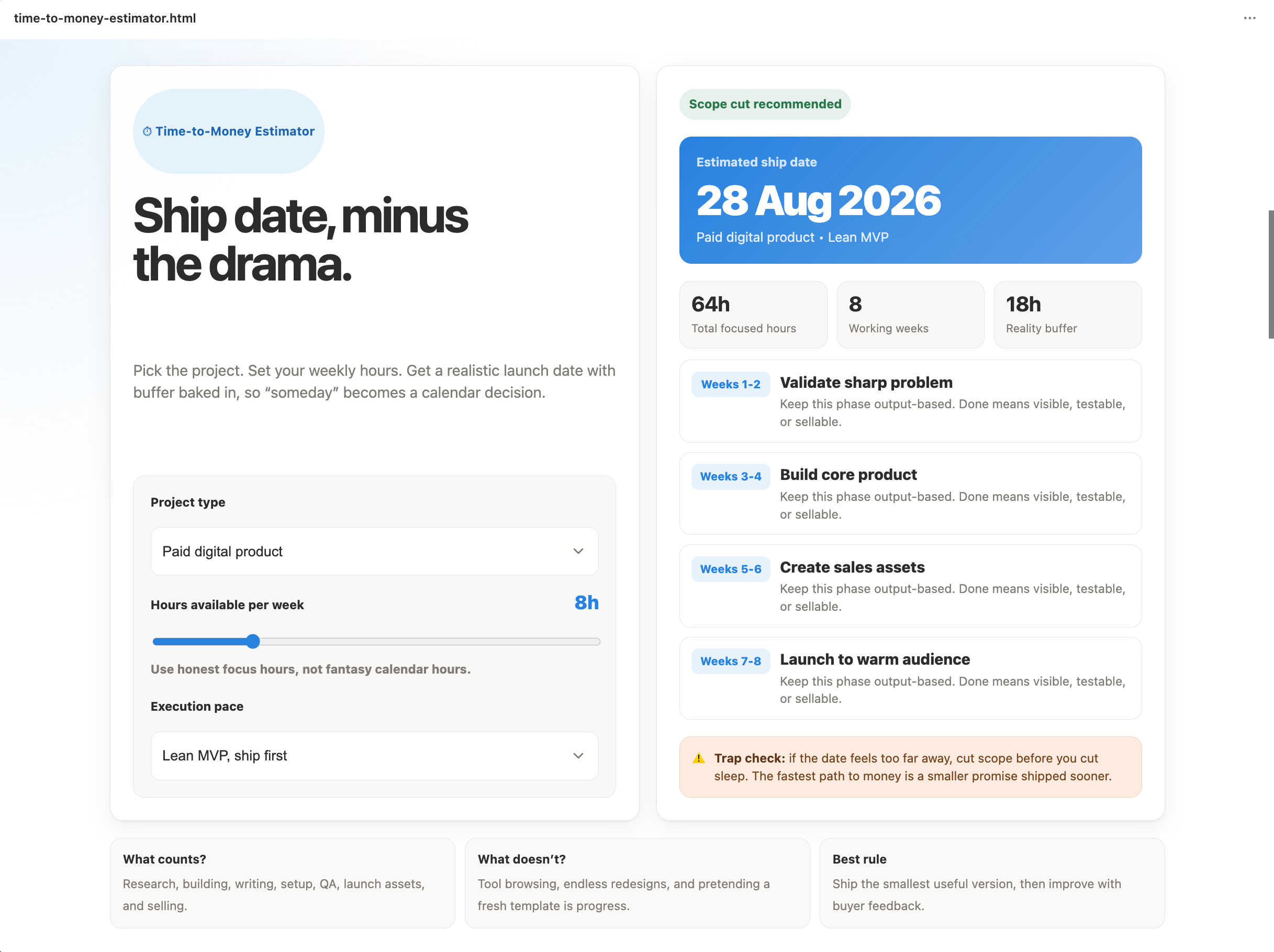
Time-to-Money Estimator. Pick a project type, enter hours available per week, and see a realistic ship date. It fights the “everything takes forever” trap.
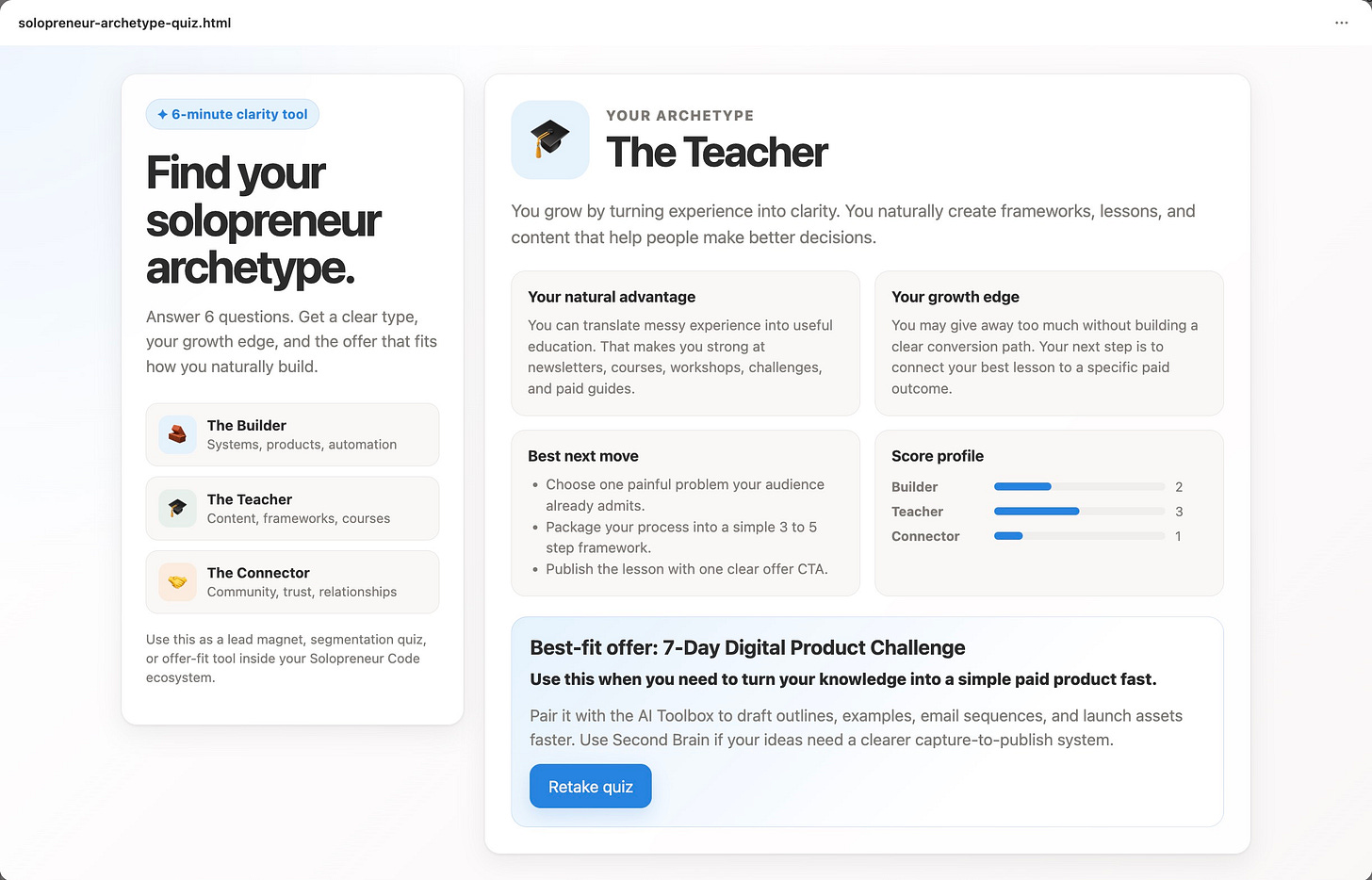
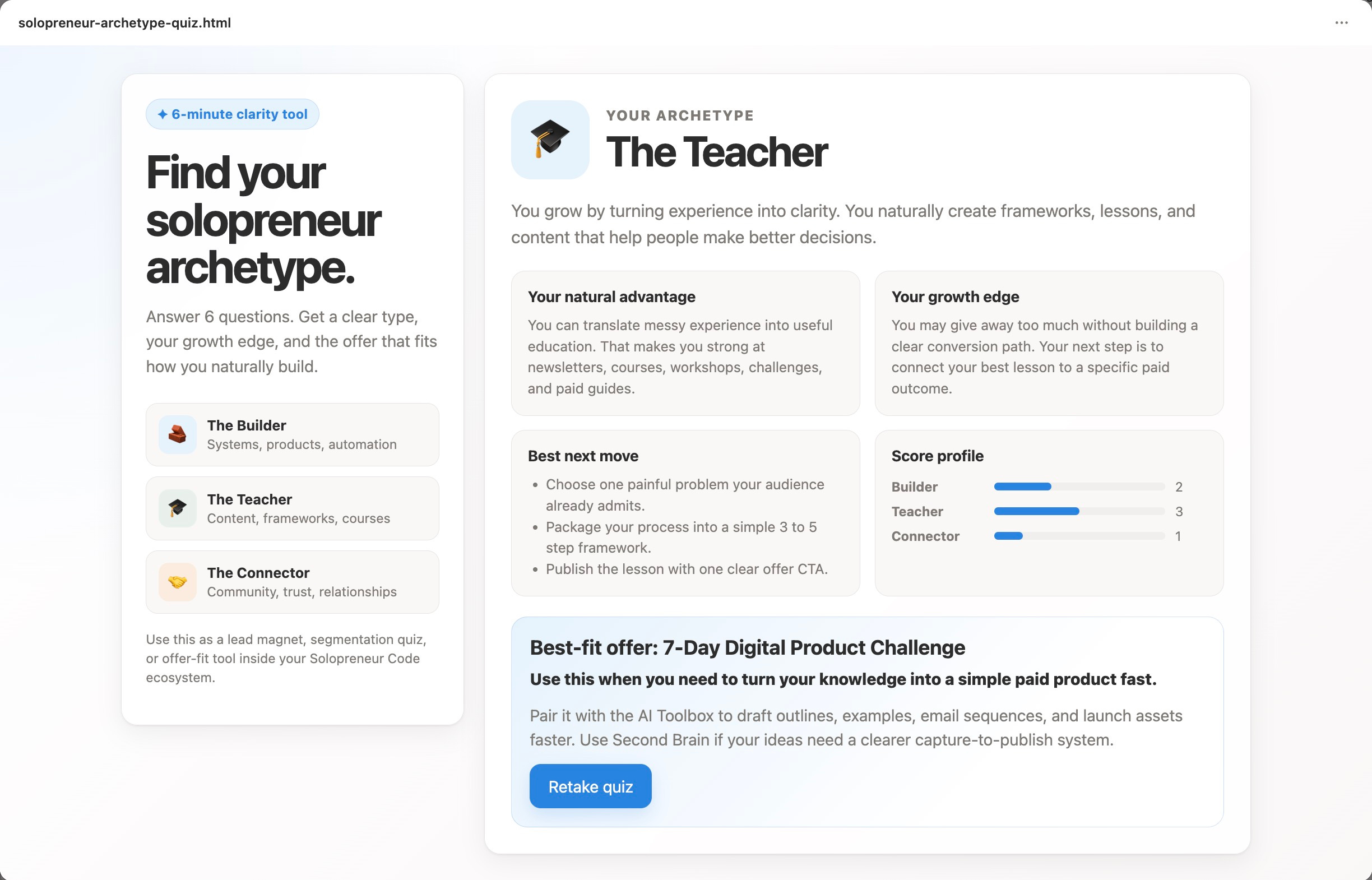
Solopreneur Archetype Quiz. Six questions that sort people in
to types like The Builder, The Teacher, and The Connector, each mapped to the offer that fits them.
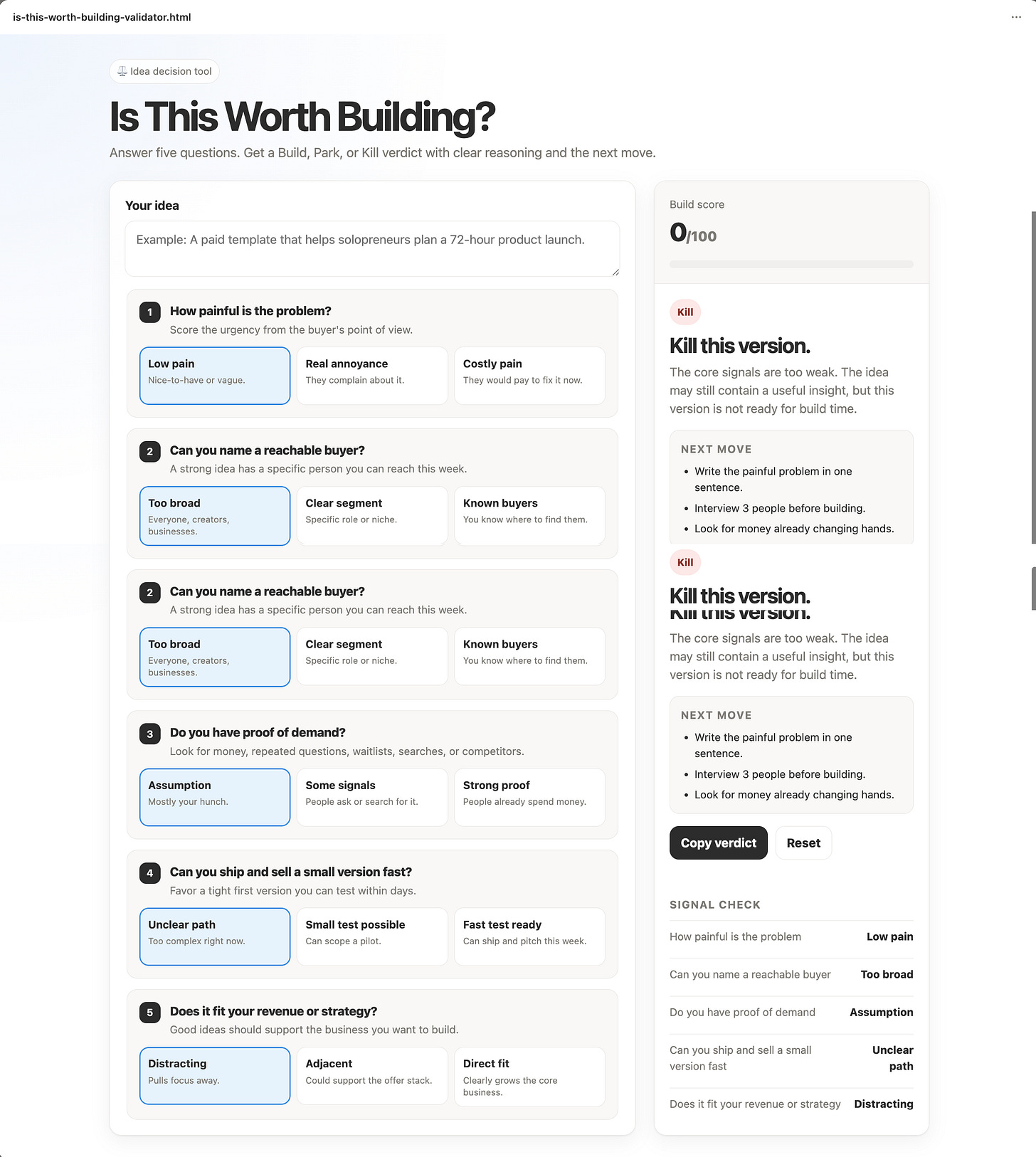
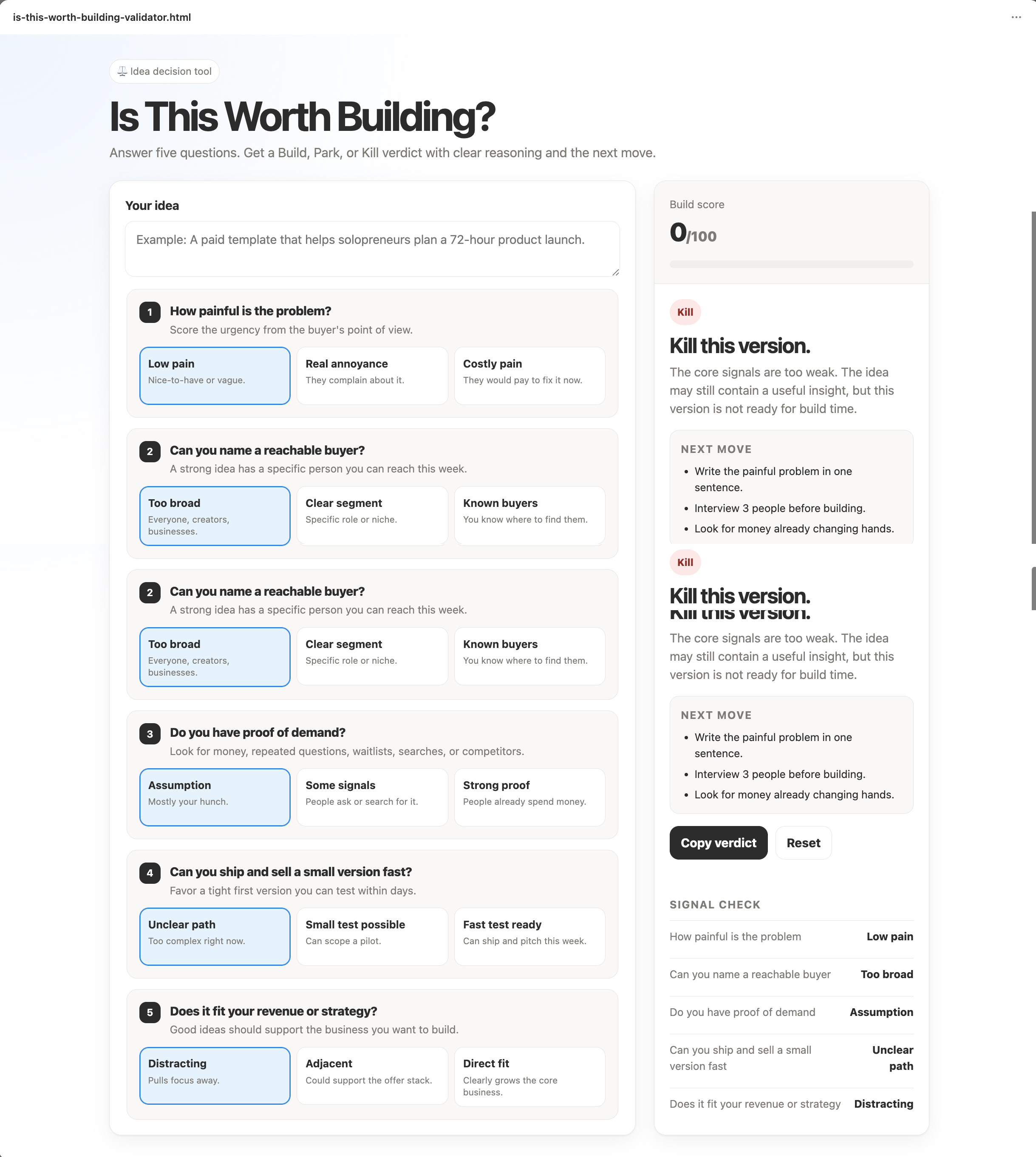
”Is This Worth Building?” Validator. Answer five questions about an idea and get a build, park, or kill verdict with the reasoning behind it.
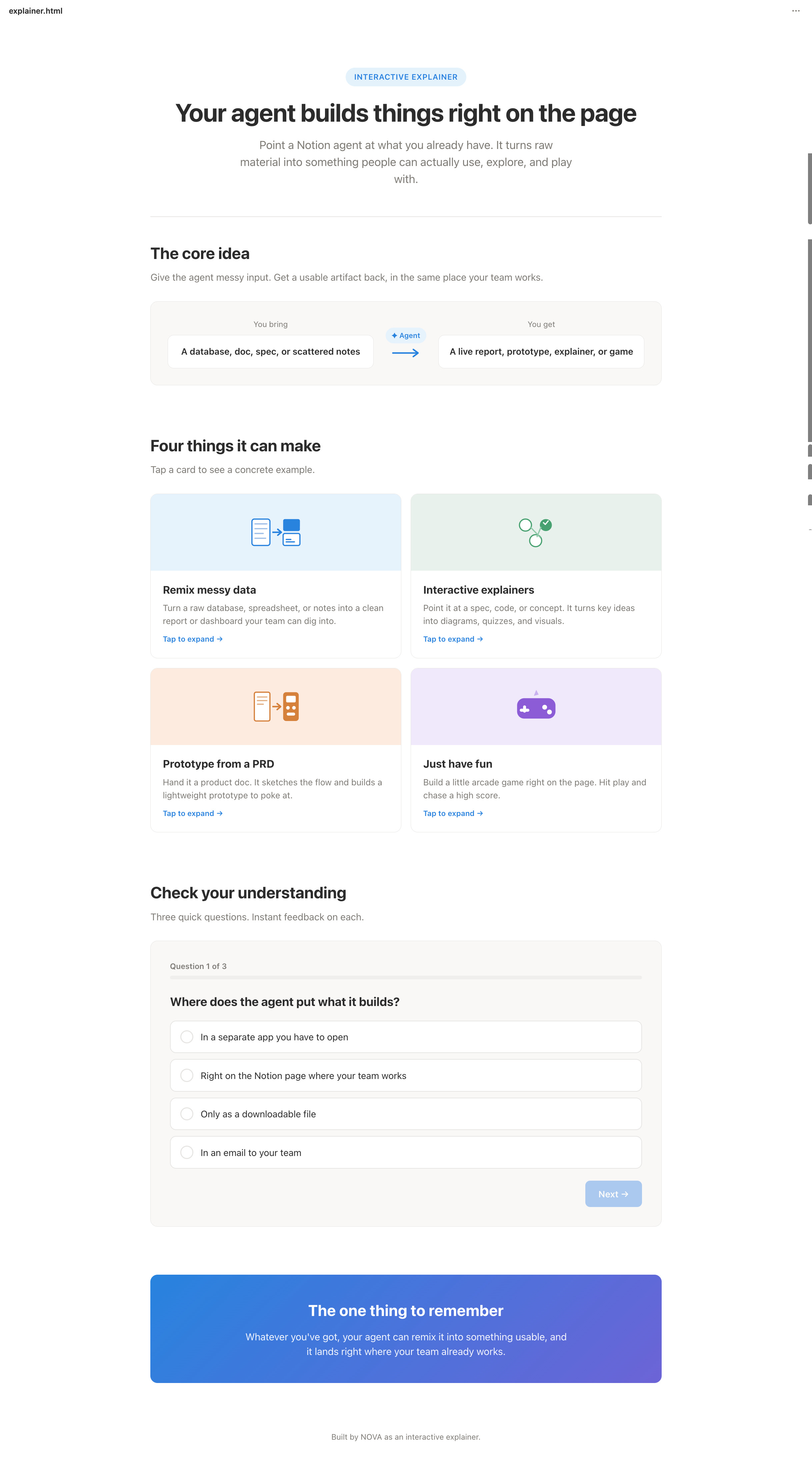
Notion HTML Explainer. An interactive block that teaches what Notion Agents are. Super fun to learn from.
Frequently asked questions
Do Notion HTML blocks work on the free plan?
Yes. HTML blocks render on any plan, so you don’t need a paid workspace to start building.
Do I need to know how to code?
No. Your Notion Agent writes the code from your description. If you do know HTML, CSS, and JavaScript, you can paste and edit your own.
Can an HTML block capture emails or save data to my database?
Not on its own. The interactivity runs inside the block, but it doesn’t write back to your Notion databases or email tool natively. For real lead capture, connect a form or an automation.
What can I actually build with a Notion HTML block?
Quizzes, calculators, scorecards, slide decks, dashboards, reports, explainers, prototypes, and small games. If it runs in a browser with simple front-end code, it can likely live in a block.
How long does one take to build?
Once you know the flow, minutes. I built 15 in under two hours, and the first few were the slowest while I found my rhythm.
Final thoughts
Notion HTML blocks are the rare feature that changes what our workspace is for.
Your docs stop being pages you read and start being tools people use.
My advice is simple. Don’t overthink it. Open a page, type /html, and build one small thing this week. A quiz, a calculator, a scorecard, anything that turns one of your ideas into something a reader can touch.
If you want a place to start, copy the format of my Freedom Score quiz and make your own version for your audience.
Then reply and tell me what is the top first tool you’d build.
You’re doing everything. But nothing is moving?
You are doing everything. But nothing is moving.
That is not a motivation problem.
Most solopreneurs are learning from everywhere and getting nowhere. Too much information. No clear system connecting effort to results.
You have everything it takes. You just do not have a clear system yet.
That is what paid subscribers get. Every system, playbook, prompt, and template. All inside the Premium Vault.
All for $79/year. That’s $6.58/month.
Upgrade now and unlock the Premium Vault.


More post about Notion:


Thanks for reading! Ready for the next step?
Let’s crack the growth equation and build a thriving one-person business on your terms!
Anfernee
I have a question about Notion, because I see so many people using it. But I always thought that Notion was a project management tool and you mostly work in Notion with your team members. Why do people use it for content planning and other things?
Notion HTML blocks are a game-changer for solopreneurs who want to build tools without writing a single line of code.