

I ran a short experimental Substack Live.
Originally, this wasn’t meant to be a big session.
I was testing Substack’s new screen-sharing feature.
But while testing, I ended up sharing something surprisingly useful that almost nobody is talking about yet.
And I think it changes how solopreneurs can work and present ideas.
Here’s the quick breakdown if you missed the Live.
What This Live Was About
Two things happened during this session:
Testing Substack Live screen sharing
Exploring a newly discovered feature inside Notion called Present Mode
The session was short.
About 10 minutes.
But it revealed a workflow shift that matters for creators and solopreneurs who live inside their systems.
If your work already lives in Notion, this will make sense immediately.
The Problem Most Solopreneurs Don’t Notice
Many creators still work like this:
Write ideas in Notion
Open PowerPoint or Google Slides
Rebuild everything again as slides
Format repeatedly
Maintain two versions of the same content
This duplication wastes time.
Your thinking system and your presentation system are separated.
I’ve always disliked that.
Years ago, Evernote had a presentation mode that allowed notes to become slides instantly. I used that workflow for more than a decade.
When I moved fully into Notion, that capability disappeared.
Until now.
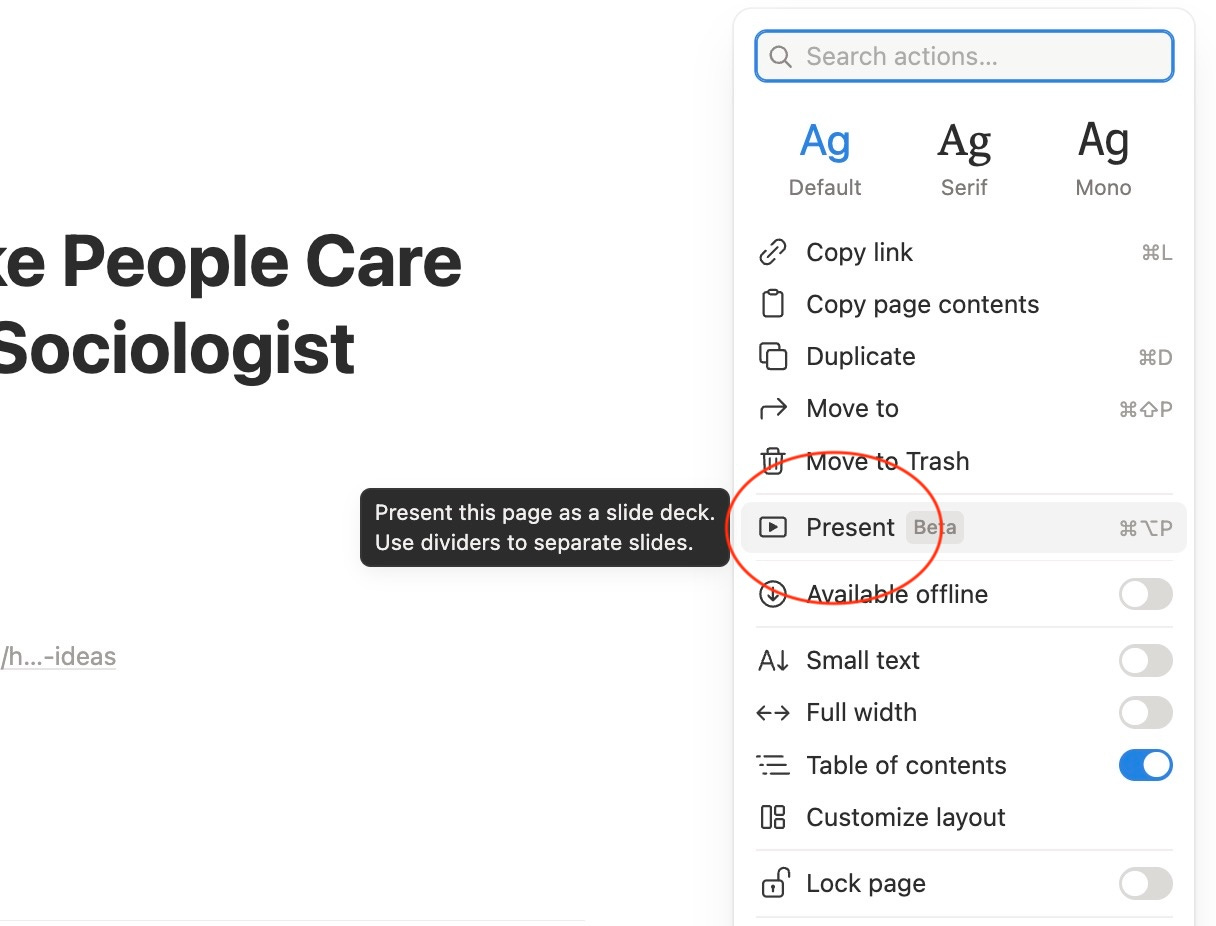
The Feature: Notion Present Mode
Recently, while exploring my workspace, I found Notion Present Mode.
Here’s how it works:
You write normally inside a Notion page.
Add dividers between sections.
Each divider automatically becomes a slide.
Activate Present Mode.
Your page instantly becomes a presentation.
No slide software. No duplication.
Just structured thinking turning directly into presentation.
During the Live, I demonstrated this using one of my recent posts:
12 Patterns That Make People Care About Your Ideas (A Sociologist Found Them in 1971)

The entire article transformed into slides instantly.
I used NOVA.

The Workflow That Changes Everything
What made this powerful was combining three things:
1. Write once
Everything starts as thinking and writing inside Notion.
2. Let AI format
I used Notion AI to help structure sections and spacing.
3. Present instantly
One click converts the page into slides.
Result:
Your notes → become your presentation.
No rebuilding required.
For someone whose entire business and life system runs inside Notion, this removes friction completely.
Why This Matters for Solopreneurs
If you are a one-person business, time fragmentation kills momentum.
Every tool switch creates overhead.
This workflow means:
Your ideas live in one place
Your content becomes teaching material
Your teaching becomes presentations
Your presentations come directly from your system
One source of truth.
Less formatting.
More thinking.
What Else We Covered
I also shared updates about the First Digital Dollar Project, where I interview entrepreneurs about how they earned their first online income and what they learned along the way.

More sessions are coming this week, including conversations with Claudia Faith and Landon Poburan about their journeys.
Watch the Recording
If you want to see the workflow in action and how the presentation mode works step-by-step, you can watch the full replay.
A Question For You
Would you prefer:
Creating slides separately, or
Turning your thinking directly into presentations?
Reply and let me know. I read every response.
Thank you to everyone who tuned into my live video!
Join me for my next live video in the app.

Not a paid member yet?
Upgrade now and unlock the Premium Vault.
Get instant access to systems, prompts, challenges, frameworks, AI tools, and resources worth thousands.
See the full benefits of becoming a paid subscriber below.
Your future self will thank you.


Thanks for reading! Ready for the next step?
Let’s crack the growth equation and build a thriving one-person business on your terms!
Anfernee


